
I run a Pomodoro timer every working day. Not because I read a productivity book. Because I kept losing 25-minute focus blocks to a YouTube ad for meal kits.
The ad problem nobody talks about
The Pomodoro Technique is simple: 25 minutes of focused work, 5-minute break, repeat. Francesco Cirillo designed it in the late 1980s with a tomato-shaped kitchen timer. No WiFi. No subscription. No interruptions from the tool itself.
Fast forward to 2026. Most people who use background music during focus sessions stream it from YouTube, Spotify free tier, or some "lofi beats" livestream. The problem is obvious once you notice it: these platforms interrupt you with ads at random intervals. You're 18 minutes into a deep focus block, your brain has finally loaded the entire problem into working memory, and then a 15-second ad for car insurance yanks you out of flow state.
The irony is brutal. You opened the music to help you focus. The platform's business model requires breaking your focus. These two goals are structurally incompatible unless you pay.
And paying doesn't fully solve it either. Spotify's free tier has ads every few songs. YouTube Premium removes ads but still shows notification popups, recommendation sidebars, and autoplay previews that pull your eyes away from the code editor. The cognitive cost of even seeing a notification is measurable; a University of California, Irvine study found it takes an average of 23 minutes to return to a task after an interruption.
Why I built music into the timer
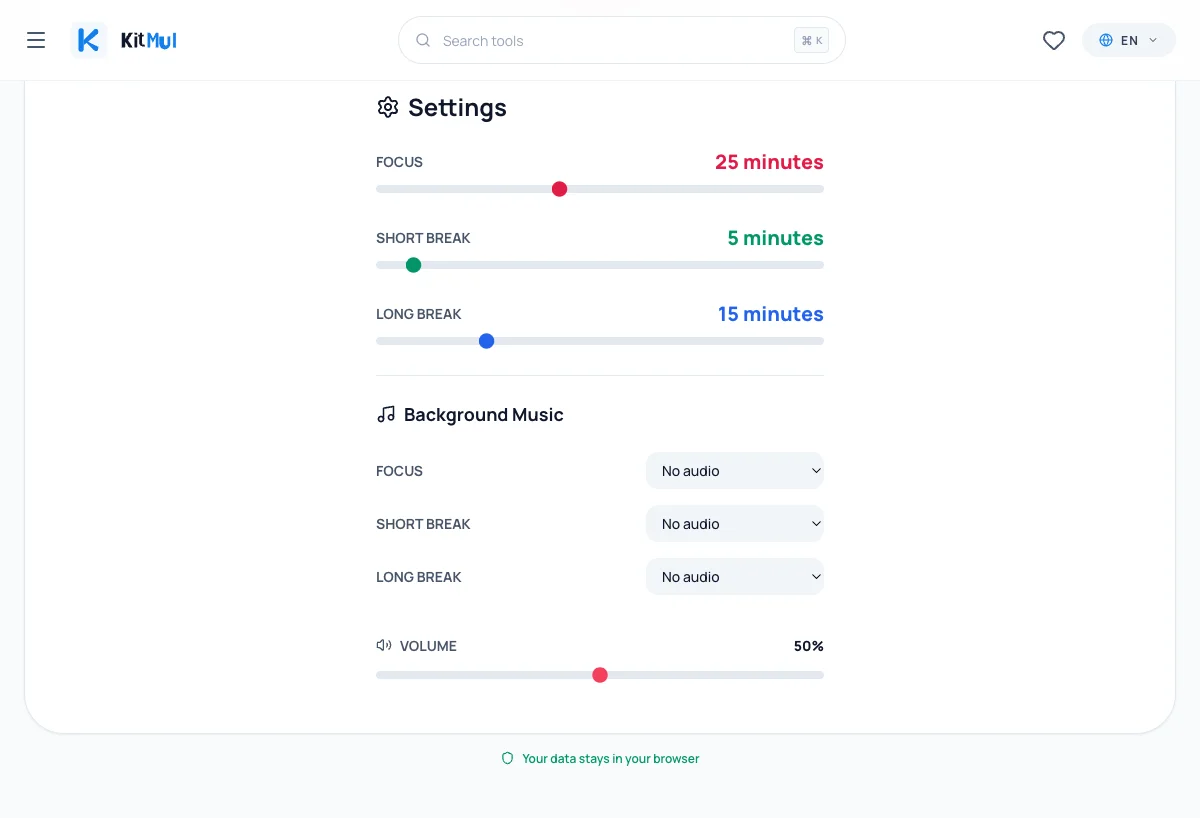
The Pomodoro Timer on Kitmul ships with three built-in audio tracks:
- Lofi Hip-Hop (Work) ; 90 minutes of continuous, uninterrupted audio
- Jazz (Read / Rest) ; 90 minutes, zero ads, zero interruptions
- Beethoven (Writing) ; 24 minutes of classical, perfect for a single Pomodoro cycle
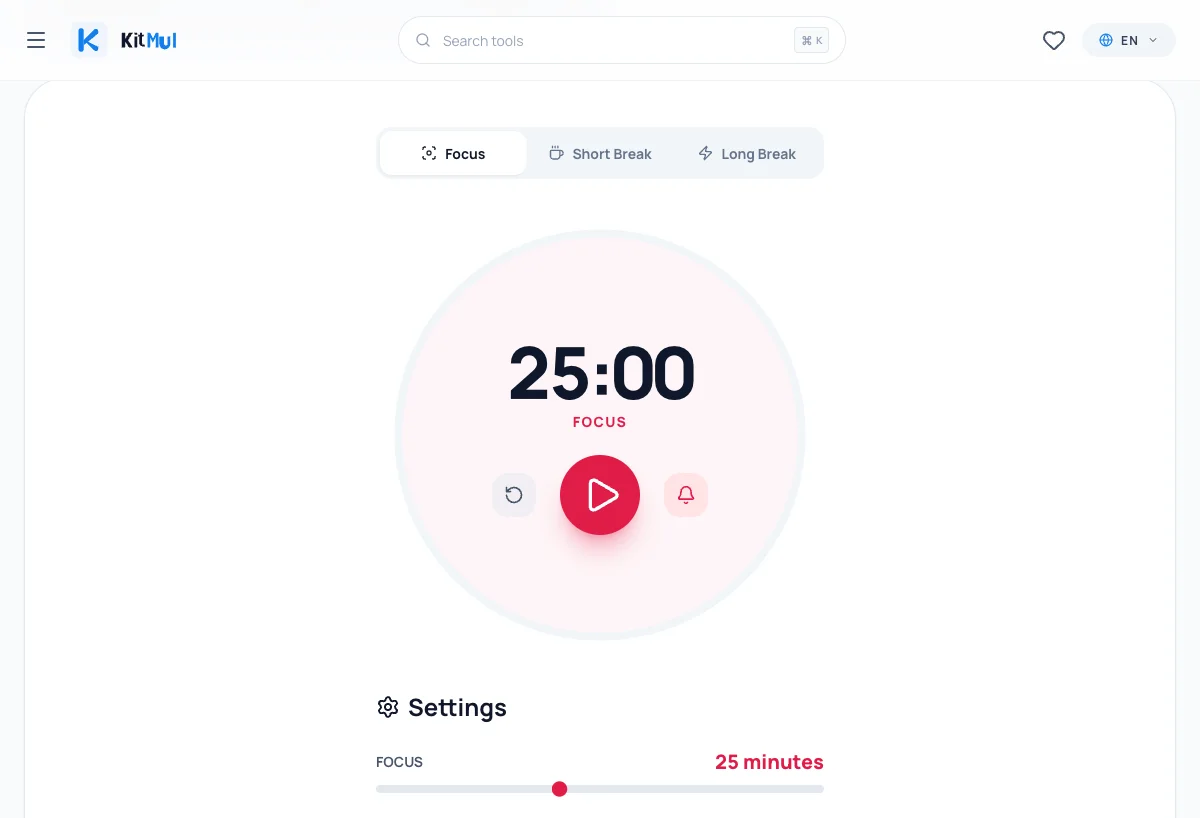
The tracks are served as static MP3 files from the same domain. No third-party player. No streaming SDK. No analytics pixel tracking what you listen to. Hit play, the audio starts, and it loops seamlessly until you stop the timer.
Each mode (Focus, Short Break, Long Break) can have a different track assigned. I use Lofi for coding, Jazz for reading pull requests during breaks, and Beethoven when I'm writing documentation or blog posts like this one. The volume slider and track selection persist in localStorage, so your setup survives page refreshes.
The audio starts at a random position in the track each session. This matters more than it sounds; if you hear the same opening bars 8 times a day, your brain stops treating it as background and starts listening to it. Random start position keeps it ambient.
My daily setup
I work in 4-Pomodoro blocks. Each block is roughly 2 hours: four 25-minute focus sessions with three 5-minute short breaks and one 15-minute long break at the end.
A typical morning:
- Open the Pomodoro Timer in a pinned tab
- Set Focus to Lofi Hip-Hop, Short Break to Jazz
- Press play
- The browser tab title updates to show the countdown (
18:42 - Focus | Kitmul) - The favicon turns red during focus, green during breaks
- When the timer hits zero, a browser notification fires and the alarm sounds
No context switch. No reaching for my phone. No opening another tab to find music. The entire workflow lives in one browser tab.
The science behind music and focus
Not all background audio helps concentration. Research from the Journal of the Acoustical Society of America shows that music with lyrics competes for the same cognitive resources as reading and writing. Instrumental music, particularly with consistent tempo and low complexity, actually reduces perceived effort on repetitive tasks.
The three tracks in the timer were chosen for this reason:
- Lofi: steady beat, no vocals, 70-90 BPM ; sits in the sweet spot for sustained attention
- Jazz: slightly higher complexity, good for tasks that need creative lateral thinking
- Beethoven: longer melodic phrases, works well for writing where you need sustained chains of thought
This isn't random. A meta-analysis published in Psychology of Music found that self-selected instrumental music at moderate volume improves performance on tasks requiring sustained attention by 5-15% compared to silence. The key word is self-selected; the music works because you chose it, not because an algorithm decided it was time for a crypto ad.
What the Pomodoro Technique actually fixes
The technique isn't really about tomatoes or 25-minute intervals. It's about two things:
1. Time boxing. You commit to working on one thing for a defined period. This kills the "I'll just check Slack" impulse. If the timer is running, you're in focus mode. Period.
2. Forced breaks. Most people skip breaks when they're "in the zone." This feels productive but leads to diminishing returns after 90 minutes. The Pomodoro break forces you to step back, which paradoxically keeps output higher across the full day.
The original technique recommends tracking completed Pomodoros to estimate future work. Our timer doesn't force this; it's a timer, not a project management tool. If you need sprint-level tracking, pair it with the WIP Aging Chart or the Monte Carlo Forecasting tool to get statistical delivery predictions.
Comparing to alternatives
| Feature | Kitmul Pomodoro | YouTube + Timer App | Spotify + Timer App |
|---|---|---|---|
| Built-in music | 3 curated tracks | Requires separate tab | Requires separate app |
| Ads during focus | None, ever | Every 5-15 min (free) | Every 3-6 songs (free) |
| Privacy | No data sent anywhere | Google tracking | Spotify tracking |
| Works offline | Yes (PWA) | No | Partial |
| Tab title countdown | Yes | No | No |
| Favicon changes by mode | Yes | No | No |
| Cost | Free | Free with ads / $14/mo | Free with ads / $11/mo |
The "free with ads" model makes sense for entertainment. It makes zero sense for a productivity tool. An ad during a movie is annoying. An ad during a focus session is destructive. The interruption cost far exceeds the 15 seconds the ad occupies.
Tips for getting the most out of it
Pin the tab. A pinned tab shows only the favicon, which changes color by mode (red = focus, green = short break, blue = long break). You get a visual status indicator without dedicating screen space.
Enable browser notifications. The timer fires a desktop notification when each session ends. This means you can work in your IDE or terminal without watching the timer tab. Request notification permission once and forget about it.
Adjust durations. The default 25/5/15 works for most people, but some tasks need longer focus blocks. The sliders let you set Focus anywhere from 1 to 60 minutes. I use 45-minute blocks for writing and 25-minute blocks for coding.
Use the Countdown Timer for non-Pomodoro time boxing. Not everything fits the Pomodoro structure. If you need a one-off 12-minute timer for a standup or a meeting agenda, the countdown timer is simpler.
Pair with the Caffeine Calculator. If you're stacking Pomodoro blocks through the afternoon, know when to stop drinking coffee. Caffeine has a half-life of about 5 hours; a 3 PM espresso is still half-present at 8 PM.
It runs in your browser. That's the point.
No download. No Electron app eating 400MB of RAM. No account. No sync service. No "upgrade to Pro for custom sounds."
The Pomodoro Timer is a single browser tab that does one thing well: it counts down, plays music, and stays out of your way. Everything runs client-side. Your timer settings, music preferences, and volume level stay in localStorage on your device.
If you're currently using YouTube or Spotify as your focus music source, try switching to built-in audio for one day. Count how many times you get interrupted. The number will probably be zero. That's the point.
The Pomodoro Timer is free, private, and works offline as a PWA. No signup, no ads, no data leaves your browser. Part of the Agile & Project Management toolkit on Kitmul.