Pomodoro Timer

Customizable Pomodoro timer designed for agile workflows, sprints, and deep focus sessions.

The Pomodoro Timer is a customizable time management tool designed specifically for agile workflows, coding sprints, and deep focus sessions. Based on the proven Pomodoro Technique developed by Francesco Cirillo, this timer alternates between focused work intervals and restorative breaks to maximize productivity while preventing burnout. With built-in background music options, system notifications, and adjustable durations, it helps developers, students, and knowledge workers maintain sustained concentration throughout the day.

Timer progress
25:00Focus

Settings

25 minutes
5 minutes
15 minutes

Background Music

50%
Your data stays in your browser
Was this tool useful?
Tutorial

How to Use Pomodoro Timer

1
1

Select Mode

Choose between Focus, Short Break, or Long Break depending on your current needs.

2
2

Start Timer

Click the play button to begin your focused work or restorative break session.

3
3

Stay Notified

Enable sound and system notifications to know exactly when your session ends.

4
4

Reset and Repeat

Use the reset button to restart a session or switch modes to maintain your flow.

Guide

Complete Guide to the Pomodoro Technique

What Is the Pomodoro Technique?

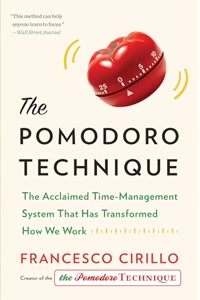
The Pomodoro Technique is a time management method developed by Francesco Cirillo in the late 1980s. Named after the tomato-shaped kitchen timer Cirillo used as a university student, the technique is elegantly simple: work for 25 minutes with complete focus, then take a 5-minute break. After completing four of these cycles (called 'pomodoros'), take a longer break of 15-30 minutes.

The core insight behind the technique is that the human brain works most effectively in focused bursts rather than extended marathon sessions. By imposing a time constraint, you create a sense of urgency that combats procrastination. The mandatory breaks prevent mental fatigue and give your brain time to consolidate information.

Over three decades since its creation, the Pomodoro Technique has become one of the most widely adopted productivity methods worldwide, particularly among software developers, students, writers, and knowledge workers who need sustained focus for cognitively demanding tasks.

Why the Pomodoro Technique Works for Agile Teams

Agile methodologies already embrace the concept of time-boxed work through sprints, but the Pomodoro Technique brings this principle to the individual level. During sprint ceremonies like backlog refinement or planning poker, 25-minute pomodoros create natural checkpoints for discussion and realignment.

For developers, the technique pairs particularly well with practices like pair programming and code review. A single pomodoro provides enough time to make meaningful progress on a task without getting lost in a rabbit hole. The break between pomodoros is an ideal moment to step back, review what you have written, or switch context between tasks.

Teams that adopt the Pomodoro Technique often report improved estimation accuracy — when you know a task takes three pomodoros, you have a concrete data point for future sprint planning. This connection between focused work intervals and story point estimation makes the technique a natural fit for Scrum and Kanban workflows.

Optimizing Your Pomodoro Sessions

The standard 25/5 split works for most people, but the optimal intervals vary by individual and task type. Creative work like writing or design may benefit from longer 45-50 minute sessions, while highly analytical tasks like debugging or code review might work better in shorter 15-20 minute bursts.

The key is to adjust the timer to match your natural attention span and the demands of your current task. Our Pomodoro Timer lets you customize all three durations — focus, short break, and long break — through the settings panel. Experiment with different configurations over a few weeks to find your sweet spot.

Background music can significantly enhance focus during pomodoro sessions. The tool offers three curated tracks: Lofi beats for general work, Jazz for reading and relaxation, and classical Beethoven for writing. Research suggests that consistent, low-complexity background music helps maintain flow state without creating distraction.

Best Practices for Sustained Productivity

Plan your pomodoros at the start of each day. Estimate how many pomodoros each task will take and allocate them across your schedule. This transforms a vague to-do list into a concrete, time-bound action plan. Track completed pomodoros to build a personal productivity dataset over time.

Protect your pomodoros fiercely. When you start a 25-minute session, commit to eliminating all interruptions — close email, silence notifications, and let colleagues know you are in a focus block. If an interruption is truly urgent, void the current pomodoro and start fresh rather than trying to resume a broken session.

Use breaks intentionally. Stand up, stretch, look away from the screen, or take a short walk. Avoid checking social media or email during breaks — these activities engage the same cognitive resources you need for work and reduce the restorative benefit of the pause. The goal is to let your prefrontal cortex rest so it can perform at full capacity in the next pomodoro.
Examples

Worked Examples

Example: Developer Sprint Day Using Pomodoro Blocks

Given: A full-stack developer has a sprint day with a mix of feature development, code review, and standup meetings.

1

Step 1: Start with two 25-minute pomodoros on the highest-priority feature ticket. Use the Focus mode with Lofi background music.

2

Step 2: After the long break, dedicate one pomodoro to reviewing a teammate's pull request, using the short break to note feedback.

3

Step 3: Use the final two afternoon pomodoros for bug fixes, adjusting the timer to 20-minute sessions for smaller, context-switching tasks.

Result: Six completed pomodoros producing a full feature implementation, one thorough code review, and three bug fixes — a highly productive sprint day tracked by concrete time blocks.

Example: Student Exam Preparation Schedule

Given: A university student needs to study for three exams over one week, covering calculus, physics, and computer science.

1

Step 1: Allocate morning pomodoros (25 min each) to the most challenging subject (calculus), using the Writing music track for problem-solving concentration.

2

Step 2: Switch to physics after the long break, using two pomodoros for textbook reading and one for practice problems.

3

Step 3: Reserve evening pomodoros for computer science coding exercises, tracking total pomodoros per subject to ensure balanced preparation.

Result: A structured study plan delivering 4-6 pomodoros per subject daily, with clear progress tracking and built-in breaks that prevent cramming-induced burnout.

Use Cases

Practical Use Cases

Coding Sprints

Use 25-minute focus blocks to tackle complex bugs or implement new features without distraction. Each pomodoro provides a dedicated time window where you commit to a single task, eliminating the productivity loss from context switching. After four focused pomodoros, you will have accumulated nearly two hours of deep coding work with strategic breaks that keep your mind sharp and your code quality high.

Study Sessions

Perfect for intense learning with scheduled breaks to maximize information retention. Research shows that spaced study sessions with regular breaks significantly outperform marathon cramming. Set a 25-minute pomodoro for active reading or problem-solving, then use the 5-minute break to review your notes and let key concepts consolidate in memory before starting the next session.

Writing Flow

Set a focus timer to write drafts and take short breaks to clear your mind between sections. The ticking countdown creates productive pressure that overcomes writer's block, while the mandatory breaks prevent the mental exhaustion that leads to diminishing returns. Many professional writers credit the Pomodoro Technique for helping them maintain consistent daily word counts without sacrificing quality.

Frequently Asked Questions

?What is the Pomodoro Technique and who invented it?

The Pomodoro Technique is a time management method invented by Francesco Cirillo in the late 1980s. It uses focused 25-minute work sessions (called 'pomodoros') followed by 5-minute short breaks. After four pomodoros, you take a longer 15-30 minute break. It is named after the tomato-shaped kitchen timer Cirillo used as a university student.

?Can I change the default 25-minute timer duration?

Yes. Click the Settings button to customize Focus, Short Break, and Long Break durations to match your personal workflow. Some users prefer 50/10 splits for creative work or 15/3 splits for quick administrative tasks. Experiment to find your optimal configuration.

?Does the Pomodoro Timer play background music while I work?

Yes. The tool offers three curated background music tracks: Lofi beats for general work, Jazz for reading and relaxation, and classical Beethoven for writing. You can adjust the volume or turn music off entirely. Research suggests low-complexity background music helps maintain flow state.

?Will I get notified when my Pomodoro session ends?

Yes. The timer supports both audio alerts and browser system notifications. You will be notified even if you are working in another tab or application, so you never accidentally overwork or cut a break short.

?Is any of my data collected or sent to a server?

No. The Pomodoro Timer runs 100% in your browser. No usage data, session history, timer preferences, or personal information is collected or transmitted to any server. Your productivity habits remain completely private.

?Is this Pomodoro Timer free to use?

Yes, this tool is completely free with no sign-up, no ads, and no premium features locked behind a paywall. All timer modes, music tracks, and customization options are available to everyone.

?How many Pomodoro sessions should I do per day?

Most productivity experts recommend 8-12 pomodoros per day for full-time work, which translates to roughly 3.5-5 hours of deep focused work. The rest of your workday naturally fills with meetings, emails, and lighter tasks. Start with 4-6 pomodoros and gradually increase as you build the habit.

?Can I use the Pomodoro Technique with agile sprint planning?

Absolutely. The Pomodoro Technique complements agile workflows perfectly. Use pomodoros during sprint ceremonies for time-boxed discussions, and track how many pomodoros tasks require for better story point estimation. Many Scrum teams use pomodoro data to improve their sprint velocity predictions.

Help us improve

How do you like this tool?

Every tool on Kitmul is built from real user requests. Your rating and suggestions help us fix bugs, add missing features and build the tools you actually need.

Rate this tool

Tap a star to tell us how useful this tool was for you.

Suggest an improvement or report a bug

Missing a feature? Found a bug? Have an idea? Tell us and we'll look into it.

Related Tools

Recommended Reading

Recommended Books on Productivity & Time Management

As an Amazon Associate we earn from qualifying purchases.

Boost Your Capabilities

Professional Products to Boost Your Project Management

As an Amazon Associate we earn from qualifying purchases.

Newsletter

Get Free Productivity Tips & New Tools First

Join makers and developers who care about privacy. Every issue: new tool drops, productivity hacks, and insider updates — no spam, ever.

Priority access to new tools
Unsubscribe anytime, no questions asked