What Is a Countdown Timer?
A countdown timer is a clock that counts backward from a specified duration to zero. Unlike a stopwatch that measures elapsed time, a countdown timer measures remaining time. When the timer reaches zero, it typically triggers an alarm or visual notification. Countdown timers are used universally — in cooking, sports, education, presentations, meditation, and productivity techniques like the Pomodoro method. Digital countdown timers have largely replaced mechanical ones due to their precision, flexibility, and the ability to run on any device.
Why Countdown Timers Improve Productivity
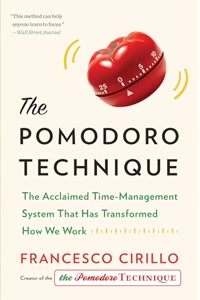
Time constraints create focus. Parkinson's Law states that work expands to fill the time available — a countdown timer creates a visible boundary that combats this tendency. The Pomodoro Technique uses 25-minute countdown timers to structure work into focused sprints with breaks. Exam environments use countdowns to create urgency. Cooking timers prevent overcooking. In all these cases, the visible passage of time creates awareness and accountability that improves performance and prevents time waste.
Key Features of an Effective Timer
A good countdown timer should have a large, readable display visible from a distance. Audio alerts ensure you notice when time is up, even if you are not watching the screen. Pause and resume functionality lets you handle interruptions without losing your place. Quick-set buttons for common durations (5 min, 10 min, 15 min) save time on setup. The ability to run in a browser tab means no app installation is needed, and the timer continues even when the tab is in the background.
Best Practices for Using Timers
For cooking, set the timer slightly shorter than the recipe suggests and check progress — you can always add more time. For productivity, start with 25-minute focus sessions and adjust based on your concentration span. For presentations, set a timer for 2 minutes less than your allotted time to leave room for questions. For workouts, use the timer alongside a structured program. Always test that audio alerts work before relying on them for critical timing.
![CASIO G-Shock GBD-200-1JF [20 ATM Water Resistant G-Squad] Watch Shipped from Japan](/images/amazon-products/B098DBBFD2.jpg)