Chiptune (8-bit) Sound Creator

Create retro 8-bit chiptune sounds. Select waveform, set frequency, and compose simple sequences with a step sequencer grid.

The Chiptune Creator is a browser-based 8-bit music maker that lets you compose retro-style melodies using authentic chip sound waveforms — square, triangle, sawtooth, and noise channels. Place notes on a step sequencer grid, adjust tempo, and preview your creation in real time. Export your compositions to share or use in game development, chiptune albums, or retro-themed projects.

Loading...
Your data stays in your browser
Was this tool useful?
Tutorial

How to use

1
1

Select a waveform

Choose between square, sawtooth, or triangle waveform for your sound.

2
2

Click steps in the sequencer

Click each step in the sequencer grid to assign notes and create a pattern.

3
3

Set BPM and press Play

Adjust the BPM (tempo) and click Play Sequence to hear your composition.

Guide

Complete Guide to Chiptune Music Creation

What Is Chiptune Music?

Chiptune (also called chip music or 8-bit music) is a style of electronic music made using the sound chips found in vintage computers and game consoles from the 1980s and early 1990s. Classic platforms include the Nintendo NES (Ricoh 2A03), Game Boy (Sharp LR35902), Commodore 64 (SID chip), and Atari 2600 (TIA). These chips produced sound using simple waveforms — square waves, triangle waves, sawtooth waves, and noise — with very limited polyphony and no sampled audio. Despite these constraints, composers created iconic, memorable music.

Why Chiptune Matters Today

Chiptune has evolved from a technical necessity into a deliberate artistic choice. Modern chiptune artists compose on vintage hardware or use software that emulates those sound chips. The genre thrives in indie game soundtracks, live performances (chipshows), and a vibrant online community. Creating chiptune teaches fundamental music theory concepts — melody, harmony, rhythm, and arrangement — within a constrained palette that forces creative problem-solving. The aesthetic has also influenced mainstream genres like synthwave, vaporwave, and lo-fi hip hop.

Key Concepts in Chiptune Composition

Step sequencing is the primary composition method — a grid where each column represents a time step and each row a pitch. Square waves (with variable pulse width) are the bread and butter of chiptune melody. Triangle waves serve as bass due to their softer tone. Noise channels create percussion — hi-hats, snares, and kicks through carefully shaped noise bursts. Arpeggios rapidly cycle through chord tones to simulate polyphony on single-channel hardware. Vibrato, pitch bends, and duty cycle changes add expression.

Best Practices for Composing Chiptune

Start with a simple 4-bar melody using the square wave channel. Add a bass line on the triangle channel to establish harmony. Use the noise channel sparingly for rhythmic accents. Keep your tempo between 120-160 BPM for the authentic chiptune feel. Limit yourself to the constraints of real hardware — typically 2 square channels, 1 triangle, and 1 noise — even though software allows more. This constraint breeds creativity. Listen to classic NES soundtracks for inspiration and study how composers like Koji Kondo and Nobuo Uematsu maximized limited resources.

Examples

Worked Examples

Example: Creating a Simple Melody

Given: You want to create an 8-bar melody in C major at 140 BPM.

1

Step 1: Set the tempo to 140 BPM and select the square wave channel.

2

Step 2: Place notes on the grid: C4-E4-G4-E4 for the first bar (ascending arpeggio).

3

Step 3: Add variation in bars 2-4, then repeat with modifications in bars 5-8.

4

Step 4: Press Play to preview your melody.

Result: A catchy 8-bar chiptune melody using the classic square wave sound, ready for further arrangement.

Example: Adding Drum Pattern

Given: Your melody needs a rhythmic foundation.

1

Step 1: Switch to the noise channel.

2

Step 2: Place short noise bursts on beats 1 and 3 for kicks, and beats 2 and 4 for snares.

3

Step 3: Add quieter noise hits on every eighth note for hi-hats.

Result: A driving 8-bit drum pattern that gives your melody rhythmic energy and the authentic chiptune feel.

Use Cases

Use cases

Retro game music

Create classic 8-bit melodies and sound effects for retro-style indie games and game jams. Use square, triangle, and noise waveforms to build authentic NES and Game Boy-era soundtracks that evoke powerful nostalgia.

Music learning

Experiment with step sequencing patterns and note relationships to learn music composition fundamentals. The constrained palette of chiptune waveforms makes it easy to focus on melody, rhythm, and harmony without getting overwhelmed.

Ringtones & alerts

Compose short retro jingles for phone notifications, app alerts, and social media content. The distinctive 8-bit aesthetic makes your alerts instantly recognizable and adds a fun, playful character to your devices.

Frequently Asked Questions

?What waveforms are available?

Square (classic 8-bit), sawtooth (buzzy/bright), and triangle (soft/mellow).

?Can I change individual notes?

Yes, click each step to cycle through available notes or set it to rest.

?Is my data private?

Yes. Everything runs locally in your browser. No data is sent to any server.

?What BPM range is supported?

You can set the tempo between 60 and 240 BPM.

?Is this tool free?

Yes. Completely free with no limits, no sign-up required.

?Can I export the sequence?

The tool is designed for real-time playback and experimentation in the browser.

Help us improve

How do you like this tool?

Every tool on Kitmul is built from real user requests. Your rating and suggestions help us fix bugs, add missing features and build the tools you actually need.

Rate this tool

Tap a star to tell us how useful this tool was for you.

Suggest an improvement or report a bug

Missing a feature? Found a bug? Have an idea? Tell us and we'll look into it.

Related Tools

Recommended Reading

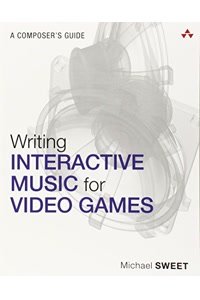
Recommended Books on Chiptune & 8-Bit Music

As an Amazon Associate we earn from qualifying purchases.

Boost Your Capabilities

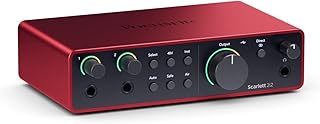
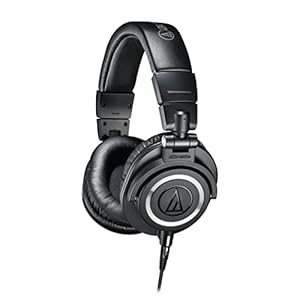
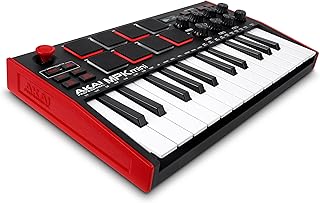
Professional Products to Boost Your Music Production

As an Amazon Associate we earn from qualifying purchases.

Newsletter

Get Free Productivity Tips & New Tools First

Join makers and developers who care about privacy. Every issue: new tool drops, productivity hacks, and insider updates — no spam, ever.

Priority access to new tools
Unsubscribe anytime, no questions asked