Test Your Typing Speed

Measure your typing speed in WPM with real-time accuracy tracking. Multiple durations, multi-language word lists, and detailed performance stats.

The Typing Speed Test measures your words per minute (WPM), accuracy, characters per minute, and consistency. Choose from 15, 30, 60, or 120 second tests. Word lists adapt to your locale (English, Spanish, French, German). See real-time character highlighting as you type; green for correct, red for errors. Get detailed results with WPM, raw WPM, accuracy percentage, error count, and consistency score. Everything runs locally in your browser.

Loading...
Your data stays in your browser
Was this tool useful?
Tutorial

How to use

1
1

Choose your test duration

Select 15, 30, 60, or 120 seconds. Shorter tests give quick estimates; longer tests measure sustained performance more accurately.

2
2

Start typing the displayed words

The timer starts when you type your first character. Type each word and press space to move to the next one. Correct characters show green, errors show red.

3
3

Review your results

When time runs out, see your WPM, accuracy percentage, characters per minute, consistency score, raw WPM, error count, and total words typed.

Guide

Complete Guide to Improving Typing Speed

Touch Typing Fundamentals

Touch typing means typing without looking at the keyboard. Place your fingers on the home row (ASDF JKL;) and reach for other keys from there. Each finger is responsible for specific keys. Building this muscle memory is the foundation for fast, accurate typing that becomes automatic over time.

Progressive Speed Training

Start with accuracy as your primary goal, not speed. Aim for 95%+ accuracy first, then gradually increase speed. Use shorter tests (15-30s) for sprint training and longer tests (60-120s) for endurance. Consistent daily practice of 10-15 minutes produces faster results than occasional long sessions.

Common Mistakes and Fixes

Looking at the keyboard breaks typing rhythm and slows progress. Using incorrect finger positions creates bad habits that are hard to fix later. Tensing your wrists or arms causes fatigue and repetitive strain. Keep your wrists neutral, relax your shoulders, and maintain good posture throughout practice.

Ergonomics for Long Sessions

Position your keyboard at elbow height with a slight negative tilt. Keep your wrists straight, not bent upward. Take breaks every 25-30 minutes using the 20-20-20 rule: look at something 20 feet away for 20 seconds every 20 minutes. Proper ergonomics prevents injury and sustains performance.
Examples

Worked Examples

Example: Improving from 35 WPM to 60 WPM

Goal: A student wants to double their typing speed over 4 weeks for faster essay writing.

1

Step 1: Take a 60-second baseline test to record starting WPM and accuracy.

2

Step 2: Practice 15 minutes daily using 30-second tests, focusing on accuracy over speed.

3

Step 3: Once accuracy stays above 95%, gradually increase pace by reducing pauses between words.

4

Step 4: Switch to 60-second tests after week 2 to build sustained speed endurance.

5

Step 5: Track daily results. Expect 5-8 WPM improvement per week with consistent practice.

Result: Most people reach 55-65 WPM within 4 weeks of daily 15-minute practice sessions with accuracy-first focus.

Example: Preparing for a Data Entry Skills Test

Goal: Pass a job-required typing test of 50 WPM with 97% accuracy.

1

Step 1: Set test duration to 60 seconds (most employer tests use 1-minute duration).

2

Step 2: Take 5 practice tests and note your average WPM and accuracy.

3

Step 3: If accuracy is below 97%, slow down and focus on reducing errors.

4

Step 4: Practice with 120-second tests to build endurance beyond the required duration.

5

Step 5: On test day, type at a comfortable pace slightly below your maximum speed.

Result: Practicing at a longer duration than required ensures you have speed reserves. Slightly conservative pacing maximizes accuracy.

Use Cases

Use cases

Job Interview Preparation for Data Entry Positions

Many employers require minimum typing speeds for administrative and data entry roles. Regular practice with timed tests helps candidates build speed and accuracy to meet job requirements, typically 40-60 WPM for general office work and 60-80+ WPM for transcription positions.

Student Typing Practice for Academic Productivity

Students who type faster complete assignments, essays, and exams more efficiently. Consistent daily practice with 60-second tests builds muscle memory and improves speed over weeks. Tracking progress motivates continued improvement toward touch-typing proficiency.

Developer Productivity Assessment and Improvement

Software developers benefit from fast, accurate typing when writing code, documentation, and messages. Measuring baseline speed and practicing regularly helps reduce the gap between thinking and typing, improving overall coding flow and reducing context-switching overhead.

Frequently Asked Questions

?How is WPM calculated?

WPM is calculated as (correct characters / 5) / elapsed minutes. A 'word' is standardized as 5 characters. Only correctly typed characters count toward your WPM score.

?What is the difference between WPM and Raw WPM?

WPM counts only correct characters. Raw WPM counts all characters you typed, including errors. The difference shows how many corrections would be needed.

?What does the Consistency score mean?

Consistency measures how uniform your typing speed is across words. 100% means perfectly even pacing. Lower scores indicate variable speed, with some words typed much faster or slower than others.

?Which language word lists are available?

The test uses common words in English, Spanish, French, and German. The word list automatically matches your current site language.

?Is this typing test completely free?

Yes, this tool is 100% free with no usage limits, no registration, and no premium features. Practice as much as you want.

?Is my data sent to any server?

No, the entire test runs locally in your browser. No keystroke data or results are sent anywhere. Your typing data is completely private.

?What is a good typing speed?

Average typing speed is around 40 WPM. 60-80 WPM is considered good. Professional typists typically reach 80-100+ WPM. Speed above 100 WPM is considered expert level.

Help us improve

How do you like this tool?

Every tool on Kitmul is built from real user requests. Your rating and suggestions help us fix bugs, add missing features and build the tools you actually need.

Rate this tool

Tap a star to tell us how useful this tool was for you.

Suggest an improvement or report a bug

Missing a feature? Found a bug? Have an idea? Tell us and we'll look into it.

Related Tools

Recommended Reading

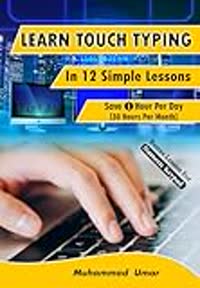
Recommended Books on Touch Typing & Productivity

As an Amazon Associate we earn from qualifying purchases.

Boost Your Capabilities

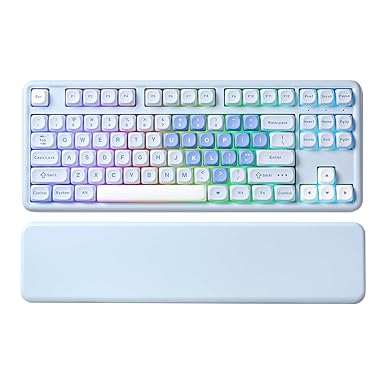
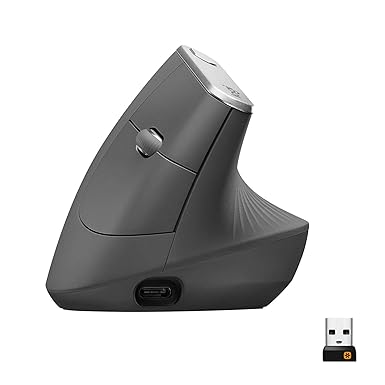
Recommended Products for Typists

As an Amazon Associate we earn from qualifying purchases.

Newsletter

Get Free Productivity Tips & New Tools First

Join makers and developers who care about privacy. Every issue: new tool drops, productivity hacks, and insider updates — no spam, ever.

Priority access to new tools
Unsubscribe anytime, no questions asked