AVIF landed quietly in 2019 and spent years as the format nobody used. Then Chrome shipped native support. Then Firefox. Then Safari 16. By 2024, Can I Use reported 93% global browser coverage. And suddenly the question flipped from "can I use AVIF?" to "why aren't I using AVIF?"
If you're still serving JPEG and PNG on the web in 2026, you're leaving performance on the table. Here's what you need to know.
What AVIF actually is
AVIF (AV1 Image File Format) is a still-image format derived from the AV1 video codec, developed by the Alliance for Open Media; a consortium that includes Google, Apple, Microsoft, Mozilla, Netflix, and Amazon. It's royalty-free, open-source, and designed to replace JPEG, PNG, and even WebP.
The key technical facts:
- Lossy and lossless compression in a single format
- 10-bit and 12-bit color depth (vs JPEG's 8-bit)
- HDR and wide color gamut (BT.2020, PQ, HLG)
- Alpha transparency (like PNG, unlike JPEG)
- Film grain synthesis (stores grain parameters instead of actual noise)
- Based on the HEIF container (ISO/IEC 23008-12)
The compression comes from AV1's intra-frame coding tools: directional prediction, recursive partitioning (up to 128x128 superblocks), and the CDEF (Constrained Directional Enhancement Filter). These tools were designed for video but work remarkably well for still images.
The compression numbers
Let's be specific. In independent tests by Netflix, Cloudflare, and Google, AVIF consistently outperforms:
| Comparison | File size reduction |
|---|---|
| AVIF vs JPEG | 30-50% smaller at same quality |
| AVIF vs PNG | 50-70% smaller (lossy mode) |
| AVIF vs WebP | 15-25% smaller at same quality |
For a concrete example: a 500KB JPEG photograph typically compresses to ~250KB as AVIF with no visible quality difference. A 2MB PNG screenshot drops to ~400KB. These are not edge cases; they're typical results across diverse image types.
Why AVIF matters for web performance
Images account for roughly 50% of the average web page's total weight, according to HTTP Archive data. Cutting that by 30-50% has real consequences:
Core Web Vitals: Smaller images directly improve LCP (Largest Contentful Paint). Google has confirmed LCP is a ranking signal.
Bandwidth costs: A site serving 1 million page views/month with 500KB of images per page transfers ~500GB. Switching to AVIF cuts that to ~300GB. At CDN rates, that's real money.
Mobile experience: On 3G connections (still common in emerging markets), a 500KB image takes ~4 seconds to load. A 250KB AVIF takes ~2 seconds. That's the difference between a bounce and a conversion.
Carbon footprint: Less data transferred means less energy consumed. The Green Web Foundation estimates that data transfer accounts for ~0.06g CO2 per MB.
AVIF vs WebP vs JPEG vs PNG: when to use each
The format landscape isn't "use AVIF for everything." Each format still has its place:
| Use case | Best format | Why |
|---|---|---|
| Photographs for the web | AVIF | Best compression, no visible quality loss |
| Transparent graphics | AVIF or WebP | Both support alpha; AVIF is smaller |
| Pixel-perfect screenshots | PNG | Lossless, universal compatibility |
| Email attachments | JPEG | Universal; every client supports it |
| Legacy system input | BMP/JPEG | Some systems can't decode modern formats |
| Favicons | ICO | Required by browsers for tab icons |
| Scalable logos | SVG | Vector; infinitely scalable |
| HDR photography | AVIF | Only modern format with full HDR support |
The practical advice: serve AVIF as your primary web format with JPEG/PNG fallbacks using the <picture> element or CDN-based content negotiation.
How to convert images to and from AVIF
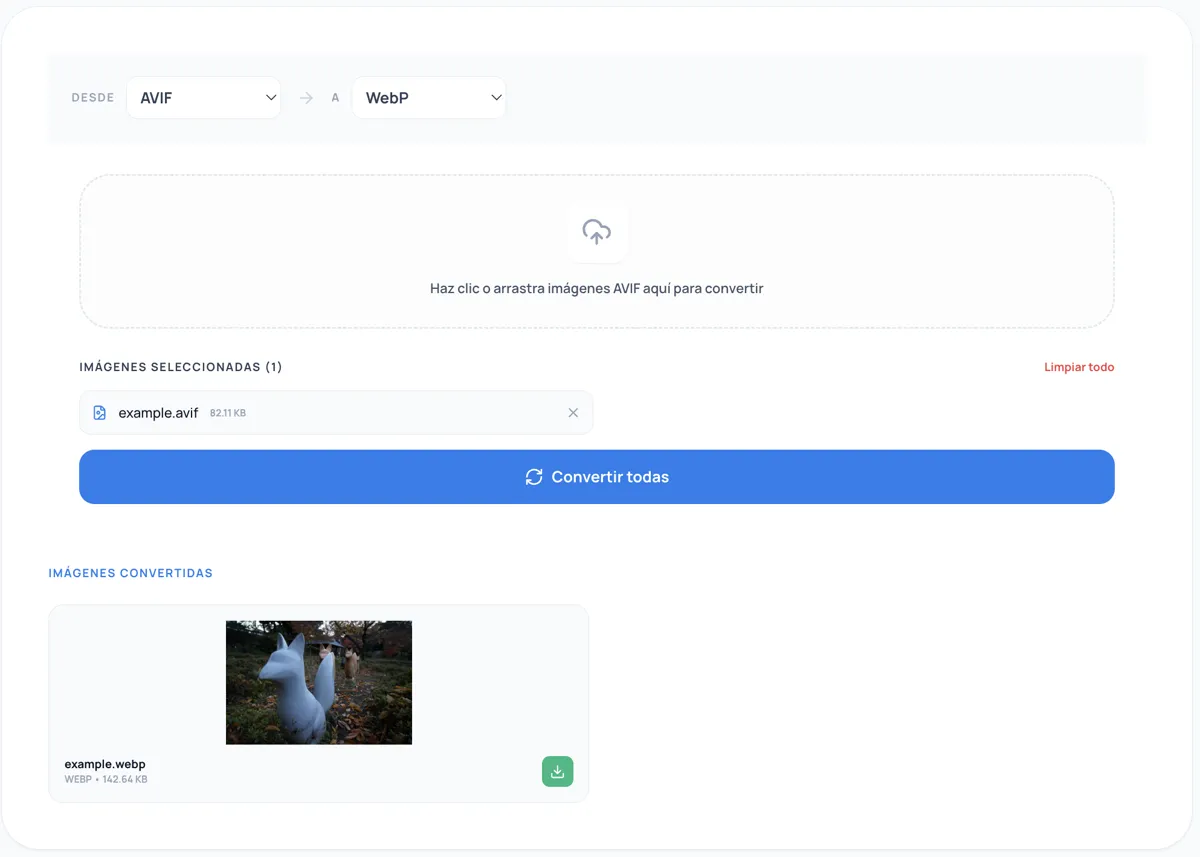
You don't need to install command-line tools or pay for cloud services. Kitmul provides free, browser-based AVIF converters that process everything locally; your images never leave your device.
Converting TO AVIF (reduce file sizes)
- JPEG to AVIF Converter: The most common conversion. Shrink your photo library by 30-50%.
- PNG to AVIF Converter: Perfect for screenshots and graphics with transparency.
- WebP to AVIF Converter: Upgrade from WebP to the next generation; another 20% savings.
- SVG to AVIF Converter: Rasterize vector graphics into compact AVIF files.
- BMP to AVIF Converter: Compress raw bitmaps from legacy systems; 95%+ reduction.
- PDF to AVIF Converter: Extract PDF pages as lightweight AVIF images.
- ICO to AVIF Converter: Convert icon files for web galleries.
Converting FROM AVIF (for compatibility)
- AVIF to JPEG Converter: When you need universal compatibility for email or print.
- AVIF to PNG Converter: Lossless output with transparency for editing workflows.
- AVIF to WebP Converter: WebP fallback for CDN pipelines.
- AVIF to PDF Converter: Embed images in professional documents.
- AVIF to GIF Converter: For email signatures and legacy platforms.
- AVIF to BMP Converter: Raw pixel data for industrial systems.
- AVIF to ICO Converter: Create favicons from AVIF source images.
The <picture> element: serving AVIF with fallbacks
The standard pattern for progressive format delivery on the web:
<picture>
  <source srcset="photo.avif" type="image/avif">
  <source srcset="photo.webp" type="image/webp">
  <img src="photo.jpg" alt="Description" loading="lazy">
</picture>
The browser picks the first format it supports. AVIF-capable browsers (93%+) get the smallest file. WebP serves as a fallback for the remaining ~7%. JPEG is the universal safety net.
For responsive images, combine with srcset:
<picture>
  <source
    srcset="photo-400.avif 400w, photo-800.avif 800w, photo-1200.avif 1200w"
    type="image/avif"
    sizes="(max-width: 800px) 100vw, 800px">
  <source
    srcset="photo-400.webp 400w, photo-800.webp 800w, photo-1200.webp 1200w"
    type="image/webp"
    sizes="(max-width: 800px) 100vw, 800px">
  <img
    src="photo-800.jpg"
    alt="Description"
    loading="lazy"
    width="800"
    height="600">
</picture>
CDN and build-tool support
Most modern infrastructure handles AVIF natively:
- Cloudflare Image Resizing: Auto-converts to AVIF via Polish or Image Resizing
- Vercel/Next.js:
next/imagesupports AVIF viaformats: ['image/avif', 'image/webp']innext.config.js - Netlify: Automatic AVIF via Image CDN
- Sharp (Node.js): Full AVIF encode/decode since v0.29
- Squoosh: Google's browser-based encoder supports AVIF
- libavif: The reference implementation by the AOM
Known limitations
AVIF isn't perfect. Be aware of these trade-offs:
Encoding speed: AVIF encodes 5-10x slower than JPEG. This matters for real-time processing but not for batch/build-time conversion.
Maximum dimensions: The AV1 spec limits individual tiles to 8192x4320 pixels. Larger images require tiling, which some tools don't support.
Animation support: AVIF supports animated sequences (AVIS), but tooling is immature compared to GIF/WebP animation.
Older browsers: IE11 and pre-2020 browsers don't support AVIF. Always include fallbacks.
Email clients: Most email clients don't render AVIF. Use AVIF to JPEG for email content.
Print workflows: Print shops typically expect TIFF, PDF, or high-quality JPEG. Convert with AVIF to PDF before sending to print.
The bottom line
AVIF is the best general-purpose image format available in 2026. It delivers smaller files than any alternative at equivalent quality, supports features no other format offers (HDR, wide gamut, film grain synthesis), and has near-universal browser support.
The migration path is straightforward:
- Convert your existing images to AVIF (use our free converters)
- Serve AVIF with
<picture>fallbacks - Keep JPEG/PNG originals for compatibility workflows
Every kilobyte you save loads faster, ranks better, and costs less. The format war is over. AVIF won.