Text Tone Analyzer

Analyze the tone and mood of your text using lexicon-based detection for formal, informal, positive, negative, and more.

The Text Tone Analyzer uses lexicon-based pattern matching analysis to deliver powerful analysis directly in your browser. Analyze the tone and mood of your text using lexicon-based detection for formal, informal, positive, negative, and more. All processing happens on your device — text processed 100% in your browser. Whether you need quick results or in-depth analysis, this tool provides 8 tone categories, sentence-level analysis, dominant tone with zero privacy concerns and no server-side processing.

Loading...
Your data stays in your browser
Was this tool useful?
Tutorial

How to Use the Tone Analyzer

1
1

Enter Your Text

Paste or type the text you want to analyze into the input area.

2
2

Click Analyze

Press the analyze button to detect tones using keyword and pattern matching.

3
3

Review Tones

Check the dominant tone, percentage bars for each detected tone, and sentence-level highlights.

Guide

Complete Guide to Text Tone Detection

What Is Text Tone Detection?

Text Tone Detection is the automated process of analyzing text or media using lexicon-based pattern matching analysis. This technology runs entirely in your browser, providing instant results without any server communication. The tool processes your input locally, ensuring complete privacy while delivering professional-grade analysis.

Modern approaches combine statistical methods with machine learning techniques to provide accurate, reliable results that were previously only available through expensive commercial software or manual expert analysis.

Why Text Tone Detection Matters

Understanding and applying text tone detection is increasingly important in today's digital landscape. Content creators, marketers, educators, and professionals all benefit from automated analysis tools that provide instant, data-driven insights.

By running analysis locally in the browser, you get the benefits of AI-powered tools without sacrificing privacy or paying for cloud-based services. This democratizes access to professional analysis capabilities for everyone.

Key Concepts and Methods

The tool leverages lexicon-based pattern matching analysis to process your input. Key features include 8 tone categories, sentence-level analysis, dominant tone. The analysis runs in real-time, updating as you type or modify your input, providing immediate feedback.

The underlying algorithms have been optimized for browser execution using Web Workers and modern JavaScript APIs, ensuring smooth performance without blocking the user interface even with large inputs.

Best Practices and Tips

For optimal results, provide clear, well-structured input. Longer texts generally yield more reliable analysis results, as the algorithms have more data points to work with. Review the output carefully and use the insights to improve your content or workflow.

The tool works best with 8 tone categories, sentence-level analysis, dominant tone. Experiment with different inputs to understand how the analysis responds to various content types and styles.

Examples

Worked Examples

Example: Email Review

Given: A text or input related to email review

1

Step 1: Enter or paste your content into the tool.

2

Step 2: The tool automatically processes and analyzes the input.

3

Step 3: Review the detailed results and insights provided.

Result: Actionable analysis and insights for your email review use case.

Example: Content Strategy

Given: A text or input related to content strategy

1

Step 1: Enter or paste your content into the tool.

2

Step 2: The tool automatically processes and analyzes the input.

3

Step 3: Review the detailed results and insights provided.

Result: Actionable analysis and insights for your content strategy use case.

Use Cases

Practical Use Cases

Email Review

Check if your email sounds too formal or informal before sending it to colleagues or clients. This is a common use case that many professionals and enthusiasts encounter regularly. The tool processes your input instantly in the browser, providing reliable results without any data leaving your device. Ideal for both quick checks and in-depth analysis workflows.

Content Strategy

Ensure your marketing copy maintains the right tone for your brand voice and target audience. This is a common use case that many professionals and enthusiasts encounter regularly. The tool processes your input instantly in the browser, providing reliable results without any data leaving your device. Ideal for both quick checks and in-depth analysis workflows.

Academic Writing

Verify that your research paper maintains an analytical and objective tone throughout. This is a common use case that many professionals and enthusiasts encounter regularly. The tool processes your input instantly in the browser, providing reliable results without any data leaving your device. Ideal for both quick checks and in-depth analysis workflows.

Frequently Asked Questions

?How does the tone analyzer detect tones?

The tool uses lexicon-based analysis, matching words and patterns in your text against curated word lists for each tone category. It counts matches and calculates percentage scores.

?What tones can be detected?

The tool detects eight tones: Formal, Informal, Positive, Negative, Confident, Tentative, Analytical, and Emotional. Multiple tones can be present simultaneously.

?Can multiple tones be detected in the same text?

Yes, text often contains multiple tones. The tool shows all detected tones with their relative strength, and highlights the dominant one.

?Is this as accurate as AI-powered analysis?

Lexicon-based analysis provides reliable tone detection for most texts. While deep learning models may catch more nuance, this approach runs instantly in your browser with zero privacy concerns.

?Is my text kept private?

Absolutely. All processing happens 100% in your browser. No text is ever sent to any server, making it safe for sensitive content.

?Is this tool completely free?

Yes, the tool is 100% free with no hidden costs, no subscriptions, no watermarks, and no usage limits. No account registration is required. It runs entirely in your browser using open-source technology.

Help us improve

How do you like this tool?

Every tool on Kitmul is built from real user requests. Your rating and suggestions help us fix bugs, add missing features and build the tools you actually need.

Rate this tool

Tap a star to tell us how useful this tool was for you.

Suggest an improvement or report a bug

Missing a feature? Found a bug? Have an idea? Tell us and we'll look into it.

Related Tools

Recommended Reading

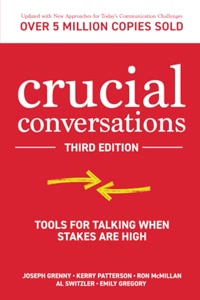
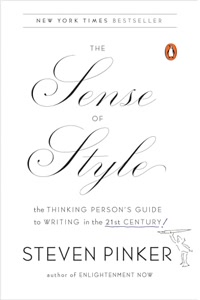
Recommended Books on Communication & Tone of Voice

As an Amazon Associate we earn from qualifying purchases.

Boost Your Capabilities

Professional Products to Boost Your AI Projects

As an Amazon Associate we earn from qualifying purchases.

Newsletter

Get Free Productivity Tips & New Tools First

Join makers and developers who care about privacy. Every issue: new tool drops, productivity hacks, and insider updates — no spam, ever.

Priority access to new tools
Unsubscribe anytime, no questions asked