Word Frequency Counter

Analyze your text to find the most used words and their frequency.

The Word Frequency Counter provides fast, accurate processing directly in your browser. It supports multiple input formats, handles edge cases correctly, and processes everything locally with no server uploads for complete privacy. Ideal for developers, students, professionals, and anyone who needs reliable results without installing software or creating an account.

Your data stays in your browser
Was this tool useful?
Tutorial

How to use

1
1

Usage Step

Analyze your text to find the most used words and their frequency.

Guide

Complete Guide to Word Frequency Counter

What Is Word Frequency Counter?

Word Frequency Counter is a free online tool that analyze your text to find the most used words and their frequency. It runs entirely in your browser using optimized JavaScript algorithms, which means instant results without network latency or server dependencies. Your data never leaves your device, ensuring complete privacy and security for all your processing needs.

Why Word Frequency Counter Matters

This type of processing is a common need across many professions and daily tasks. Developers, students, marketers, engineers, and content creators all face situations where quick, accurate conversion or analysis is essential. Manual work is error-prone and time-consuming, while this tool automates the process with verified algorithms, saving you time and reducing mistakes significantly.

Key Concepts

Understanding the fundamentals helps you use the tool more effectively. The underlying algorithms follow industry standards and best practices established by international organizations. Results are computed client-side using optimized code, which means instant feedback without network latency. The tool handles unicode, special characters, and edge cases that simpler implementations might miss.

Best Practices

Always verify your input before processing to ensure the best results. For large datasets, consider breaking the work into manageable chunks. Copy your results immediately after processing, as data is not stored between sessions for privacy reasons. Bookmark the tool for quick access in future sessions, and explore the various output format options to match your downstream workflow requirements.
Examples

Worked Examples

Example: Basic Word Frequency Counter Usage

Given: Standard input data requiring processing.

1

Step 1: Enter or paste your input data into the tool.

2

Step 2: Configure any options or target format as needed.

3

Step 3: Click the process button to generate output instantly.

Result: The tool produces the correct output immediately, ready to copy or download for your project.

Example: Advanced Use Case

Given: Complex input with special characters or edge cases.

1

Step 1: Paste the complex input into the tool.

2

Step 2: Verify the tool handles all special characters correctly.

3

Step 3: Copy the processed output for integration into your workflow.

Result: All edge cases are handled correctly, producing clean and reliable output.

Use Cases

Use cases

Example Case

Word Frequency Counter

Frequently Asked Questions

?What does the word frequency counter do?

This tool analyzes your text and identifies every unique word along with how many times it appears and its percentage of the total word count. Results are displayed in a sortable table for easy analysis.

?How can I use word frequency analysis for SEO?

Word frequency analysis helps you identify keyword density in your content. You can verify that your target keywords appear with appropriate frequency and spot overused words that might trigger keyword stuffing penalties.

?Is the word frequency analysis case-sensitive?

The tool normalizes text for analysis so that words like 'The' and 'the' are counted as the same word, giving you accurate frequency results regardless of capitalization.

?Can I use this tool to analyze essays or academic papers?

Yes. This tool is excellent for reviewing academic writing. You can identify overused words, check vocabulary diversity, and ensure your writing does not rely too heavily on repetitive language.

?What information is shown in the results table?

The results table displays three columns: the word itself, the number of times it appears in the text (count), and the percentage that word represents of the total word count.

?Is my text kept private?

Yes. All text analysis is performed entirely in your browser. No content is sent to any external server, making it safe to analyze confidential documents, drafts, and private writing.

?Can I use this for content writing and copywriting?

Absolutely. Content writers use word frequency analysis to maintain natural keyword distribution, avoid repetitive phrasing, and improve the overall readability and variety of their copy.

Help us improve

How do you like this tool?

Every tool on Kitmul is built from real user requests. Your rating and suggestions help us fix bugs, add missing features and build the tools you actually need.

Rate this tool

Tap a star to tell us how useful this tool was for you.

Suggest an improvement or report a bug

Missing a feature? Found a bug? Have an idea? Tell us and we'll look into it.

Related Tools

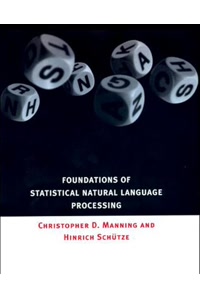
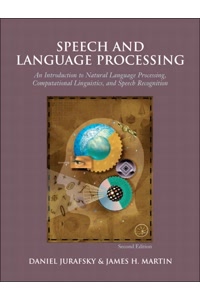
Recommended Reading

Recommended Books on Text Analysis & Linguistics

As an Amazon Associate we earn from qualifying purchases.

Boost Your Capabilities

Professional Products to Boost Your Writing

As an Amazon Associate we earn from qualifying purchases.

Newsletter

Get Free Productivity Tips & New Tools First

Join makers and developers who care about privacy. Every issue: new tool drops, productivity hacks, and insider updates — no spam, ever.

Priority access to new tools
Unsubscribe anytime, no questions asked