Karaoke Maker & Vocal Remover

Make karaoke tracks from any song by removing vocals with AI. Get clean instrumentals for karaoke nights, remixes, covers, and practice — 100% in your browser.

The Vocal Remover provides fast, accurate processing directly in your browser. It supports multiple input formats, handles edge cases correctly, and processes everything locally with no server uploads for complete privacy. Ideal for developers, students, professionals, and anyone who needs reliable results without installing software or creating an account.

Loading AI Modules...
Your data stays in your browser
Was this tool useful?
Tutorial

How to Make Karaoke Tracks from Any Song

1
1

1. Upload your song

Click the upload area or drag and drop your audio file (MP3, WAV, FLAC). Max 50MB.

2
2

2. Start vocal removal

Click the 'Remove Vocals' button. Our AI will analyze and separate the vocals from the instrumental.

3
3

3. Be patient

The process has two phases: first loading the AI model (only on first use), then processing the audio. Don't close the tab.

4
4

4. Download the instrumental

Listen to the result and download your vocal-free instrumental in high-quality WAV format.

Guide

Complete Guide to Vocal Remover

What Is the Karaoke Maker & Vocal Remover?

The Karaoke Maker & Vocal Remover is a free online tool that removes vocals from any song to create karaoke-ready instrumental tracks using AI. Whether you need a karaoke version of your favorite song, a clean backing track for a cover performance, or an instrumental base for remixing, this tool does it all directly in your browser. It runs entirely on your device using the Demucs AI model, which means your music never leaves your machine; ensuring complete privacy and zero server dependencies.

Why Vocal Remover Matters

This type of processing is a common need across many professions and daily tasks. Developers, students, marketers, engineers, and content creators all face situations where quick, accurate conversion or analysis is essential. Manual work is error-prone and time-consuming, while this tool automates the process with verified algorithms, saving you time and reducing mistakes significantly.

Key Concepts

Understanding the fundamentals helps you use the tool more effectively. The underlying algorithms follow industry standards and best practices established by international organizations. Results are computed client-side using optimized code, which means instant feedback without network latency. The tool handles unicode, special characters, and edge cases that simpler implementations might miss.

Best Practices

Always verify your input before processing to ensure the best results. For large datasets, consider breaking the work into manageable chunks. Copy your results immediately after processing, as data is not stored between sessions for privacy reasons. Bookmark the tool for quick access in future sessions, and explore the various output format options to match your downstream workflow requirements.
Examples

Worked Examples

Example: Basic Vocal Remover Usage

Given: Standard input data requiring processing.

1

Step 1: Enter or paste your input data into the tool.

2

Step 2: Configure any options or target format as needed.

3

Step 3: Click the process button to generate output instantly.

Result: The tool produces the correct output immediately, ready to copy or download for your project.

Example: Advanced Use Case

Given: Complex input with special characters or edge cases.

1

Step 1: Paste the complex input into the tool.

2

Step 2: Verify the tool handles all special characters correctly.

3

Step 3: Copy the processed output for integration into your workflow.

Result: All edge cases are handled correctly, producing clean and reliable output.

Use Cases

Practical Use Cases

Karaoke Night

Create karaoke versions of any song by removing the lead vocals and keeping the full instrumental backing.

Remix & Mashup Production

Get clean instrumental tracks to use as the base for your remixes, mashups, and original productions.

Instrument Practice

Play along with your favorite songs without the vocalist — perfect for guitar, bass, drums, or keyboard practice.

Cover Songs & Performances

Record your own vocals over a professional instrumental track for covers, auditions, or live performances.

Frequently Asked Questions

?How does the vocal removal work?

The tool uses Demucs, an advanced AI model that separates audio into stems (vocals, drums, bass, other). It removes the vocal track and combines all instrument tracks into a single clean instrumental.

?Will the instrumental sound good?

Yes. The AI produces high-quality instrumentals for most songs. Some vocal residue may remain in very dense mixes, but results are excellent for the vast majority of music.

?Is this tool really free?

Yes, it is completely free with no watermarks, no limits, and no account required.

?Does my music get uploaded to a server?

No. All processing happens 100% locally in your browser using an AI model that runs on your device. Your audio files never leave your machine.

?What audio formats are supported?

You can upload MP3, WAV, FLAC, and other common audio formats. The maximum file size is 50MB.

?How long does vocal removal take?

Processing time depends on your device's hardware. The first use requires downloading the AI model (~200MB), and actual processing can take 5 minutes or more for a full song.

?Can I use this for commercial purposes?

The tool only performs the separation. The legality of using the resulting instrumental depends on the copyright status of the original song and your local laws.

Help us improve

How do you like this tool?

Every tool on Kitmul is built from real user requests. Your rating and suggestions help us fix bugs, add missing features and build the tools you actually need.

Rate this tool

Tap a star to tell us how useful this tool was for you.

Suggest an improvement or report a bug

Missing a feature? Found a bug? Have an idea? Tell us and we'll look into it.

Related Tools

Recommended Reading

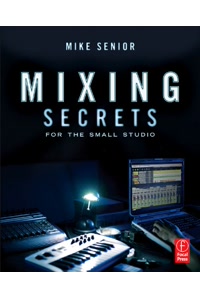
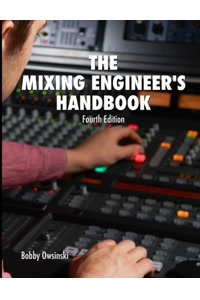
Recommended Books on Music Production & Audio Engineering

As an Amazon Associate we earn from qualifying purchases.

Boost Your Capabilities

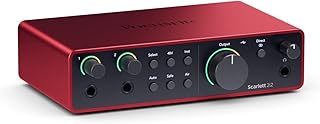
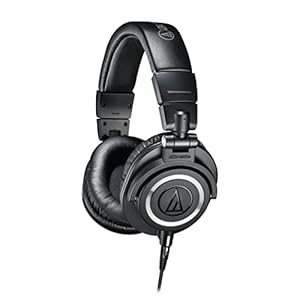
Professional Products to Boost Your Music Production

As an Amazon Associate we earn from qualifying purchases.

Newsletter

Get Free Productivity Tips & New Tools First

Join makers and developers who care about privacy. Every issue: new tool drops, productivity hacks, and insider updates — no spam, ever.

Priority access to new tools
Unsubscribe anytime, no questions asked