BPM & Key Detector

Analyze the tempo and musical key of any song or audio input in real-time or via file upload.

The BPM and Key Detector analyzes audio files to determine their tempo in beats per minute (BPM) and musical key. DJs use it for harmonic mixing and beatmatching, producers for setting project tempos, and musicians for identifying the key of a reference track. The analysis runs entirely in your browser using advanced DSP algorithms, ensuring your music files remain private and are never uploaded to any server.

Loading Detector...
Your data stays in your browser
Was this tool useful?
Tutorial

How to Use the BPM & Key Detector

1
1

Choose the Method

Upload an audio file (MP3, WAV) or activate the mic to analyze live music.

2
2

Start Analysis

If using the mic, ensure the music is played clearly for optimal detection results.

3
3

Data Capture

The audio engine will process a snapshot of the track to calculate tempo and harmony.

4
4

Get Results

View the exact BPM and musical scale (e.g., C Major) instantly on your screen.

Guide

Complete Guide to BPM and Key Detection

What Is BPM and Key Detection?

BPM and Key Detection is a fundamental process used across many fields including software development, data processing, and digital media. Understanding how it works enables you to make better decisions about when and how to apply it in your workflows. This tool implements bpm and key detection using efficient browser-based algorithms that process your data locally, ensuring privacy and instant results without any server dependency.

Why BPM and Key Detection Matters

In today's digital landscape, bpm and key detection plays a critical role in data management, content creation, and technical workflows. Whether you're a developer handling data transformations, a content creator preparing media assets, or a student learning core concepts, this process helps bridge the gap between raw data and usable output. Mastering these concepts gives you a significant advantage in professional and educational contexts.

Key Concepts and Techniques

The core principles behind bpm and key detection involve understanding input and output formats, processing algorithms, and quality considerations. Each transformation has specific parameters that affect the result — learning to configure these correctly ensures optimal output. Modern browser-based implementations use WebAssembly and optimized JavaScript to deliver near-native performance for these operations.

Best Practices

Always start with the highest quality input data available. Verify your results by spot-checking representative samples. Understand the limitations and edge cases of the specific transformation you're performing. For batch processing, test with a small sample before processing large datasets. Keep backups of original data before applying any irreversible transformations.

Examples

Worked Examples

Example: Basic Conversion

Given: A standard input that needs to be processed.

1

Step 1: Enter or paste your input data into the tool.

2

Step 2: Configure any output settings or parameters as needed.

3

Step 3: The tool processes the data locally and displays the result.

Result: The processed output is ready for download or copying to clipboard.

Example: Batch Processing

Given: Multiple items that need the same transformation applied.

1

Step 1: Prepare all input data in the expected format.

2

Step 2: Process each item through the tool sequentially.

3

Step 3: Verify the output for consistency and correctness.

Result: All items have been successfully processed with consistent results.

Use Cases

Practical Use Cases

Music Production

This tool processes your data entirely in your browser, ensuring complete privacy and instant results. It handles a wide variety of input formats and edge cases, making it suitable for both simple one-off conversions and complex workflow integrations. The browser-based processing means no file size limits imposed by server uploads, and your sensitive data never leaves your device.

DJs and Mixing

This tool processes your data entirely in your browser, ensuring complete privacy and instant results. It handles a wide variety of input formats and edge cases, making it suitable for both simple one-off conversions and complex workflow integrations. The browser-based processing means no file size limits imposed by server uploads, and your sensitive data never leaves your device.

Instrument Practice

This tool processes your data entirely in your browser, ensuring complete privacy and instant results. It handles a wide variety of input formats and edge cases, making it suitable for both simple one-off conversions and complex workflow integrations. The browser-based processing means no file size limits imposed by server uploads, and your sensitive data never leaves your device.

Frequently Asked Questions

?What is BPM?

BPM stands for Beats Per Minute. It is the standard measurement of tempo in music, indicating how many beats occur in one minute.

?Is this BPM and key detector free?

Yes, it is completely free with no registration, limits, or watermarks.

?Does my audio get uploaded to a server?

No. All analysis happens locally in your browser. Your audio files and microphone input are never sent to any server.

?Can I analyze audio in real time from my microphone?

Yes. The tool supports real-time microphone input, so you can detect the BPM and key of music playing around you.

?What audio formats are supported for file upload?

The tool supports common audio formats including MP3 and WAV files.

?How accurate is the key detection?

The tool uses audio analysis algorithms to identify the musical key with high accuracy. Results work well for most genres, though complex or atonal music may be less precise.

?Why would a DJ need to know the musical key?

Knowing the key of tracks allows DJs to create harmonic mixes, where songs blend smoothly together because their notes are musically compatible. This technique is known as harmonic mixing.

Help us improve

How do you like this tool?

Every tool on Kitmul is built from real user requests. Your rating and suggestions help us fix bugs, add missing features and build the tools you actually need.

Rate this tool

Tap a star to tell us how useful this tool was for you.

Suggest an improvement or report a bug

Missing a feature? Found a bug? Have an idea? Tell us and we'll look into it.

Related Tools

Recommended Reading

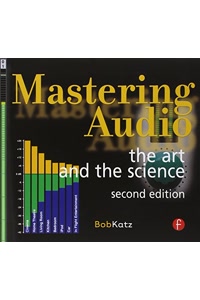
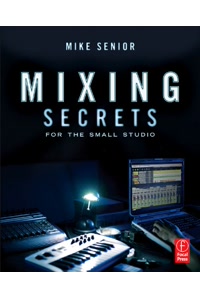
Recommended Books on Music Production & Audio Analysis

As an Amazon Associate we earn from qualifying purchases.

Boost Your Capabilities

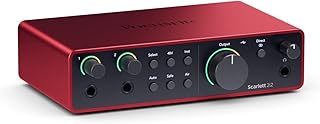
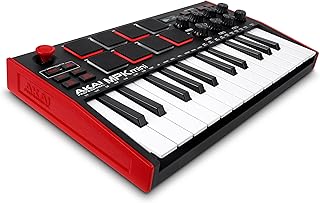
Professional Products to Boost Your Music Production

As an Amazon Associate we earn from qualifying purchases.

Newsletter

Get Free Productivity Tips & New Tools First

Join makers and developers who care about privacy. Every issue: new tool drops, productivity hacks, and insider updates — no spam, ever.

Priority access to new tools
Unsubscribe anytime, no questions asked