Binaural Beats Generator

Create custom binaural beats to help with focus, meditation, sleep, and relaxation using pure sine waves.

The Binaural Beats Generator creates auditory stimulation by playing two slightly different frequencies in each ear, producing a perceived third frequency called a binaural beat. Research suggests these beats may support relaxation, focus, meditation, and sleep. This tool lets you customize base frequency, beat frequency, and waveform type for personalized brainwave entrainment sessions. All audio is generated in real-time directly in your browser using the Web Audio API.

Loading Generator...
Your data stays in your browser
Was this tool useful?
Tutorial

How to use Binaural Beats

1
1

1. Set Base Frequency

Select a carrier tone. Lower frequencies (around 100-200Hz) are often perceived as more relaxing.

2
2

2. Choose Brainwave State

The 'Beat Frequency' is the difference between ears. Select a frequency for the state you want to achieve.

3
3

3. Wear Headphones

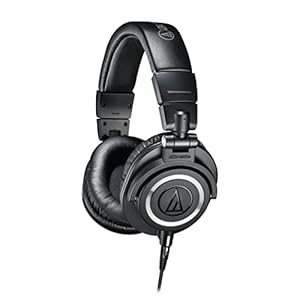
Binaural beats only work when each ear receives a different tone. Use stereo headphones for best results.

4
4

4. Listen & Relax

Close your eyes and let the beat synchronize your brainwaves. 15-30 minutes is usually recommended.

Guide

Complete Guide to Binaural Beats

What Is Binaural Beats?

Binaural Beats is a fundamental process used across many fields including software development, data processing, and digital media. Understanding how it works enables you to make better decisions about when and how to apply it in your workflows. This tool implements binaural beats using efficient browser-based algorithms that process your data locally, ensuring privacy and instant results without any server dependency.

Why Binaural Beats Matters

In today's digital landscape, binaural beats plays a critical role in data management, content creation, and technical workflows. Whether you're a developer handling data transformations, a content creator preparing media assets, or a student learning core concepts, this process helps bridge the gap between raw data and usable output. Mastering these concepts gives you a significant advantage in professional and educational contexts.

Key Concepts and Techniques

The core principles behind binaural beats involve understanding input and output formats, processing algorithms, and quality considerations. Each transformation has specific parameters that affect the result — learning to configure these correctly ensures optimal output. Modern browser-based implementations use WebAssembly and optimized JavaScript to deliver near-native performance for these operations.

Best Practices

Always start with the highest quality input data available. Verify your results by spot-checking representative samples. Understand the limitations and edge cases of the specific transformation you're performing. For batch processing, test with a small sample before processing large datasets. Keep backups of original data before applying any irreversible transformations.
Examples

Worked Examples

Example: Basic Conversion

Given: A standard input that needs to be processed.

1

Step 1: Enter or paste your input data into the tool.

2

Step 2: Configure any output settings or parameters as needed.

3

Step 3: The tool processes the data locally and displays the result.

Result: The processed output is ready for download or copying to clipboard.

Example: Batch Processing

Given: Multiple items that need the same transformation applied.

1

Step 1: Prepare all input data in the expected format.

2

Step 2: Process each item through the tool sequentially.

3

Step 3: Verify the output for consistency and correctness.

Result: All items have been successfully processed with consistent results.

Use Cases

Brainwave Frequency Ranges

Delta (0.5 – 4 Hz)

This tool processes your data entirely in your browser, ensuring complete privacy and instant results. It handles a wide variety of input formats and edge cases, making it suitable for both simple one-off conversions and complex workflow integrations. The browser-based processing means no file size limits imposed by server uploads, and your sensitive data never leaves your device.

Theta (4 – 8 Hz)

This tool processes your data entirely in your browser, ensuring complete privacy and instant results. It handles a wide variety of input formats and edge cases, making it suitable for both simple one-off conversions and complex workflow integrations. The browser-based processing means no file size limits imposed by server uploads, and your sensitive data never leaves your device.

Alpha (8 – 13 Hz)

This tool processes your data entirely in your browser, ensuring complete privacy and instant results. It handles a wide variety of input formats and edge cases, making it suitable for both simple one-off conversions and complex workflow integrations. The browser-based processing means no file size limits imposed by server uploads, and your sensitive data never leaves your device.

Beta (13 – 30 Hz)

This tool processes your data entirely in your browser, ensuring complete privacy and instant results. It handles a wide variety of input formats and edge cases, making it suitable for both simple one-off conversions and complex workflow integrations. The browser-based processing means no file size limits imposed by server uploads, and your sensitive data never leaves your device.

Gamma (30 – 50 Hz)

This tool processes your data entirely in your browser, ensuring complete privacy and instant results. It handles a wide variety of input formats and edge cases, making it suitable for both simple one-off conversions and complex workflow integrations. The browser-based processing means no file size limits imposed by server uploads, and your sensitive data never leaves your device.

Frequently Asked Questions

?What are binaural beats?

Binaural beats are an auditory illusion created when two slightly different frequencies are played in each ear. Your brain perceives a third tone equal to the difference between the two frequencies, which can influence brainwave activity.

?Do I need headphones for binaural beats?

Yes, stereo headphones are required. Binaural beats only work when each ear receives a separate frequency, which speakers cannot achieve.

?Is this binaural beats generator free?

Yes, it is completely free with no registration, downloads, or limits on usage.

?Does the tool collect any data?

No. The audio is generated locally in your browser using the Web Audio API. Nothing is recorded or transmitted.

?What beat frequency should I use for sleep?

Delta waves (0.5-4 Hz) are associated with deep sleep. Set the beat frequency in this range for sleep-inducing binaural beats.

?What beat frequency helps with focus?

Beta waves (13-30 Hz) are associated with active concentration and alertness. Try a beat frequency around 15-20 Hz for focus sessions.

?How long should I listen to binaural beats?

Most research suggests listening for 15 to 30 minutes to allow your brainwaves to synchronize with the beat frequency. Start with shorter sessions and adjust to your comfort.

Help us improve

How do you like this tool?

Every tool on Kitmul is built from real user requests. Your rating and suggestions help us fix bugs, add missing features and build the tools you actually need.

Rate this tool

Tap a star to tell us how useful this tool was for you.

Suggest an improvement or report a bug

Missing a feature? Found a bug? Have an idea? Tell us and we'll look into it.

Related Tools

Recommended Reading

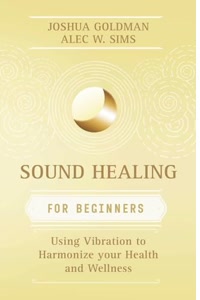
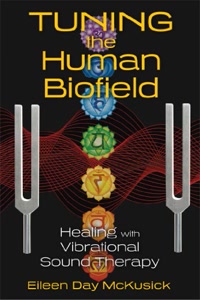
Recommended Books on Binaural Beats & Sound Therapy

As an Amazon Associate we earn from qualifying purchases.

Boost Your Capabilities

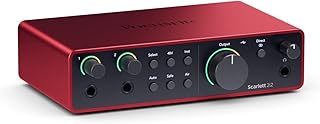
Professional Products to Boost Your Music Production

As an Amazon Associate we earn from qualifying purchases.

Newsletter

Get Free Productivity Tips & New Tools First

Join makers and developers who care about privacy. Every issue: new tool drops, productivity hacks, and insider updates — no spam, ever.

Priority access to new tools
Unsubscribe anytime, no questions asked