GIF to PDF Converter

Convert GIF images to PDF format online for free. No sign-up required. Fast and easy GIF to PDF conversion.

Convert GIF images to PDF format for including graphics in professional documents, reports, and presentations. PDF preserves the image quality while providing a universally readable format for formal sharing and printing.

Your data stays in your browser
Was this tool useful?
Tutorial

How to Convert GIF to PDF

1
1

Upload your GIF images

Drag and drop or click to select one or multiple GIF image files from your device.

2
2

Confirm PDF as output format

The output format is set to PDF. You can change it using the format dropdown if needed.

3
3

Download your PDF images

Click Convert All and download your converted PDF images. Each file is processed individually.

Guide

Complete Guide to GIF to PDF Conversion

What is GIF?

GIF (Graphics Interchange Format) is a limited to 256 colors with animation support image format created in 1987 by CompuServe. It is best suited for simple animations, memes, icons, and small graphics with limited color palettes. GIF has become one of the most widely used image formats on the internet and in professional workflows due to its reliable quality and broad compatibility.

What is PDF?

PDF (Portable Document Format) is a universal document format for formatted content image format developed in 1993 by Adobe Systems. It excels at documents, printing, professional sharing, and archiving formatted content. PDF is supported across virtually all platforms, devices, and software applications, making it a versatile choice for many use cases.

Why Convert GIF to PDF?

Converting GIF to PDF is useful when you need to optimize images for different platforms, reduce file sizes for faster loading, ensure compatibility with specific software or devices, or prepare images for particular workflows like printing, web publishing, or sharing via email and social media.

Key Differences Between GIF and PDF

GIF uses limited to 256 colors with animation support, while PDF uses universal document format for formatted content. GIF is best for simple animations, memes, icons, and small graphics with limited color palettes, whereas PDF is best for documents, printing, professional sharing, and archiving formatted content. The choice between them depends on your specific needs: quality vs. file size, transparency support, animation capabilities, and target platform requirements.
Examples

GIF to PDF Conversion Examples

Example: Including GIF Diagrams in a Technical Manual

An engineer has process flow diagrams in GIF format that need to be included in a PDF technical manual for manufacturing documentation.

1

Upload the GIF process diagrams

2

Select PDF as the output format

3

Convert each diagram to a PDF page

4

Insert into the technical manual

Process flow diagrams are embedded in the PDF technical manual maintaining clarity, ready for distribution to manufacturing teams.

Example: Archiving Vintage Web Graphics as PDF Documents

A digital preservation project needs to archive early web graphics stored as GIF files into a more durable PDF format for long-term storage.

1

Upload vintage GIF web graphics

2

Select PDF as the output format

3

Convert preserving original quality

4

Add to the digital preservation archive

Historic web graphics are preserved in PDF format ensuring long-term accessibility and protection against format obsolescence.

Use Cases

GIF to PDF Use Cases

Optimize GIF for the web

Convert PNG images to JPEG for dramatically smaller file sizes when transparency is not needed. PNG files of photographs can be 3-5x larger than equivalent JPEG files. This conversion is essential for web performance optimization, email attachments, and social media uploads where file size limits apply and transparency is unnecessary.

Share GIF images easily

Transform images to WebP format for modern web optimization, achieving 25-35% better compression than JPEG while maintaining equivalent visual quality. WebP is supported by all major browsers and is recommended by Google's PageSpeed Insights for improving Core Web Vitals scores and overall page load performance.

Edit GIF in design software

Convert proprietary formats like HEIC (iPhone) or AVIF to universally compatible JPEG or PNG for sharing across platforms. Many devices and applications cannot open newer formats, making conversion essential for collaboration, email sharing, and uploading to services that require traditional image formats.

GIF to PDF — Frequently Asked Questions

?What image formats can I convert between?

The tool supports conversion between JPEG, PNG, WebP, GIF, BMP, TIFF, and more. You can convert from any supported format to any other with full control over quality settings.

?Is this format converter free?

Yes, completely free with no registration, watermarks, file limits, or usage restrictions. Convert as many images as you need.

?Does conversion upload my images to a server?

No. All format conversion happens locally in your browser using JavaScript. Your images never leave your device, ensuring complete privacy.

?Does converting formats reduce image quality?

Converting between lossless formats (PNG ↔ WebP lossless) preserves all quality. Converting to lossy formats (JPEG, WebP lossy) involves some quality trade-off, which you control via the quality slider.

?Which format has the smallest file size?

For photographs, WebP typically produces the smallest files at equivalent quality. For simple graphics with few colors, PNG with compression or WebP lossless offers the best results.

?Can I convert images with transparency?

Yes. When converting from PNG or WebP with transparency, choose an output format that supports alpha channels (PNG, WebP). Converting to JPEG will flatten transparency to a white or black background.

?What is the difference between JPEG and WebP?

WebP is a modern format offering 25-35% better compression than JPEG at equivalent visual quality, plus it supports transparency and animation — features JPEG lacks.

?Can I batch convert multiple images?

The tool processes one image at a time for maximum quality control. Upload each image separately to convert and verify the output before proceeding.

Help us improve

How do you like this tool?

Every tool on Kitmul is built from real user requests. Your rating and suggestions help us fix bugs, add missing features and build the tools you actually need.

Rate this tool

Tap a star to tell us how useful this tool was for you.

Suggest an improvement or report a bug

Missing a feature? Found a bug? Have an idea? Tell us and we'll look into it.

Related Tools

Recommended Reading

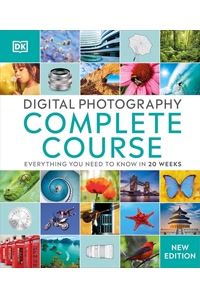
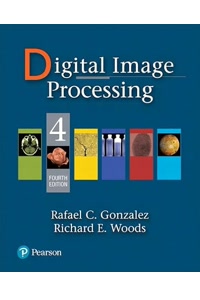
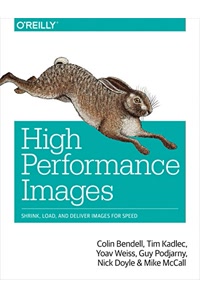
Recommended Books on Digital Image Formats & Processing

As an Amazon Associate we earn from qualifying purchases.

Boost Your Capabilities

Professional Products to Boost Your Design Skills

As an Amazon Associate we earn from qualifying purchases.

Newsletter

Get Free Productivity Tips & New Tools First

Join makers and developers who care about privacy. Every issue: new tool drops, productivity hacks, and insider updates — no spam, ever.

Priority access to new tools
Unsubscribe anytime, no questions asked