What Is the Debt Snowball Method?
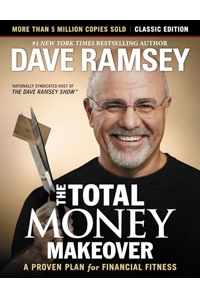
The debt snowball method is a debt repayment strategy popularized by financial expert Dave Ramsey. You list all your debts from smallest balance to largest, make minimum payments on everything, and throw all extra money at the smallest debt first. Once that debt is eliminated, you roll its payment into the next smallest debt, creating a snowball effect. The psychological benefit is powerful: quick wins build momentum and motivation. While it may cost more in total interest than the avalanche method, studies show people using the snowball method are more likely to become completely debt-free because the early victories keep them committed to the plan.
What Is the Debt Avalanche Method?
The debt avalanche method takes a purely mathematical approach. You list all debts from highest interest rate to lowest, make minimum payments on everything, and direct extra money at the highest-rate debt first. Once that debt is paid off, you move to the next highest rate. This approach minimizes the total interest paid over the life of all debts, making it the most cost-efficient strategy. However, if your highest-rate debt also has the largest balance, it may take months before you eliminate a single debt, which can feel discouraging. The avalanche method is ideal for disciplined individuals who prioritize saving money over psychological momentum.
Snowball vs Avalanche: Which Is Better?
The best strategy depends on your personality and financial situation. The avalanche method saves more money on interest, sometimes thousands of dollars depending on the debt amounts and rates. The snowball method provides faster emotional rewards, which research from Harvard Business School suggests is a stronger predictor of debt payoff success. Many financial advisors recommend starting with the snowball method to build confidence, then switching to avalanche once the habit is established. This calculator lets you compare both strategies side by side so you can make an informed decision based on your actual numbers.
Best Practices for Accelerating Debt Payoff
First, stop accumulating new debt by cutting up credit cards or freezing them. Second, find extra money to add to your debt payments by reducing discretionary spending, selling unused items, or taking on a side job. Even an extra $100 per month can dramatically shorten your payoff timeline. Third, set up automatic minimum payments on all debts to avoid late fees. Fourth, celebrate each debt payoff to maintain motivation. Fifth, use this calculator monthly to track your progress and adjust your plan as income or expenses change. Remember, becoming debt-free is a marathon, not a sprint.