Check World Clock Times

View live time across multiple cities and timezones worldwide.

A real-time world clock that displays the current time in multiple cities and timezones simultaneously. Add or remove cities with timezone search, see UTC offsets, and keep track of time differences; all running locally in your browser with live updates every second.

Loading World Clock...
Your data stays in your browser
Was this tool useful?
Tutorial

How to Use

1
1

View Default Cities

The world clock loads with four default cities: New York, London, Tokyo, and Sydney. Each card shows the current time, date, and UTC offset.

2
2

Add a City

Click the Add City button and type the name of a city or timezone. Select from the dropdown results to add it to your clock display.

3
3

Remove a City

Hover over any city card and click the trash icon in the top-right corner to remove that timezone from your display.

4
4

Share Your Setup

Your selected timezones are saved in the URL. Copy and share the link to let others see the same set of clocks.

Guide

Complete Guide to World Clocks and Timezones

Understanding Timezones

Timezones divide the Earth into regions that observe the same standard time. The system is based on Coordinated Universal Time (UTC), with each zone defined by its offset from UTC. There are 24 primary timezone offsets, though many regions use half-hour or quarter-hour variations. The International Date Line, running roughly along the 180th meridian, marks where each calendar day begins. Understanding timezone offsets is essential for international communication, travel planning, and global business operations.

Daylight Saving Time

Many regions observe daylight saving time (DST), shifting clocks forward in spring and back in autumn to make better use of daylight hours. Not all countries participate; most of Africa, Asia, and South America do not observe DST. The dates of transitions vary by country, meaning the time difference between two cities can change multiple times per year. Modern timezone databases like IANA track these rules automatically, ensuring accurate time display regardless of seasonal adjustments.

The IANA Timezone Database

The IANA timezone database (also called tz or zoneinfo) is the authoritative source for timezone information used by operating systems, programming languages, and web browsers. Each timezone is identified by a region/city format such as America/New_York or Asia/Tokyo. The database records historical timezone changes, DST rules, and leap seconds. It is maintained by a community of volunteers and updated multiple times per year to reflect political decisions about time.

Working Across Timezones

Effective timezone management is critical for distributed teams and international organizations. Best practices include scheduling meetings during overlapping business hours, using timezone-aware tools for communication, storing timestamps in UTC format in databases, and clearly specifying timezone context when sharing times. A world clock tool helps visualize time differences at a glance, reducing errors in cross-timezone scheduling and communication.


Examples

Worked Examples

Finding Meeting Times Across Three Continents

A team has members in New York (UTC-5), London (UTC+0), and Tokyo (UTC+9). Find a one-hour window when all three are within 8AM-6PM local time.

1

Add all three cities to the world clock.

2

New York 8AM = London 1PM = Tokyo 10PM. Too late for Tokyo.

3

New York 9AM = London 2PM = Tokyo 11PM. Still too late for Tokyo.

4

Tokyo 9AM = London midnight = New York 7PM. Close, but London is off hours.

5

The best overlap is roughly 9AM-10AM New York time, which is 2PM-3PM London and 11PM Tokyo. A compromise at Tokyo 8AM = 11PM London (previous day) = 6PM New York also fails. The realistic overlap is 8AM-9AM Tokyo = 11PM-midnight London = 6PM-7PM New York.

The narrowest workable window is approximately 6:00 PM - 7:00 PM New York / 11:00 PM - midnight London / 8:00 AM - 9:00 AM Tokyo (next day).

Converting a Conference Call Time

A conference is scheduled for 3:00 PM UTC. Determine the local time in Sydney, Berlin, and Sao Paulo.

1

Add Sydney (UTC+10 or +11 during DST), Berlin (UTC+1 or +2 during DST), and Sao Paulo (UTC-3) to the world clock.

2

Read each city's current UTC offset from the display.

3

Sydney in standard time: 3PM + 10 = 1:00 AM next day. In DST: 3PM + 11 = 2:00 AM next day.

4

Berlin in standard time: 3PM + 1 = 4:00 PM. In DST: 3PM + 2 = 5:00 PM.

5

Sao Paulo: 3PM - 3 = 12:00 PM (noon).

3:00 PM UTC equals 1:00 AM (or 2:00 AM DST) in Sydney, 4:00 PM (or 5:00 PM DST) in Berlin, and 12:00 PM in Sao Paulo.

Use Cases

Use Cases

Remote Team Coordination

Distributed teams working across multiple timezones use the world clock to find overlapping working hours. Add each team member's city to quickly see who is available for meetings and collaboration without manual time conversion.

International Business Scheduling

Business professionals scheduling calls with clients or partners in different countries use the world clock to identify suitable meeting times. See at a glance whether your proposed time falls within business hours across all relevant locations.

Travel Planning

Travelers preparing for international trips use the world clock to understand time differences at their destination. Track multiple stopover cities simultaneously to plan layovers, check-in times, and communication windows with people back home.

Global Event Monitoring

Journalists, traders, and event organizers monitoring live events across different regions use the world clock to stay aware of local times. Track market opening hours, live broadcast schedules, and event start times across multiple cities.

Frequently Asked Questions

?What timezones are available in the world clock?

The world clock supports all IANA timezones recognized by your browser. This includes every major city and region worldwide, covering over 400 timezone identifiers.

?How accurate is the time displayed?

The clock updates every second using your device's system clock and the Intl.DateTimeFormat API. Accuracy depends on your device's time synchronization with NTP servers.

?Does the clock account for daylight saving time?

Yes. The Intl.DateTimeFormat API automatically handles daylight saving time transitions for each timezone, showing the correct current offset at all times.

?Can I save my selected cities?

Yes. Your selected timezones are stored in the URL. Bookmark the page or copy the URL to save your configuration and return to it later.

?How many cities can I add?

There is no hard limit on the number of cities you can add. However, for best readability, we recommend keeping between 4 and 12 timezones on screen at once.

?What do the UTC offsets mean?

UTC offsets show the time difference from Coordinated Universal Time. For example, UTC-5 means the timezone is five hours behind UTC, while UTC+9 means nine hours ahead.

?Is my data private when using this world clock?

Yes. All time calculations run entirely in your browser using JavaScript. No data is sent to any server, and nothing is stored or logged anywhere.

?Is this world clock tool free?

Yes. This tool is completely free to use with no limits, no sign-up required, and no advertisements. Use it as many times as you need.

Help us improve

How do you like this tool?

Every tool on Kitmul is built from real user requests. Your rating and suggestions help us fix bugs, add missing features and build the tools you actually need.

Rate this tool

Tap a star to tell us how useful this tool was for you.

Suggest an improvement or report a bug

Missing a feature? Found a bug? Have an idea? Tell us and we'll look into it.

Related Tools

Recommended Reading

Recommended Books on Time, Timezones & Global Coordination

As an Amazon Associate we earn from qualifying purchases.

Boost Your Capabilities

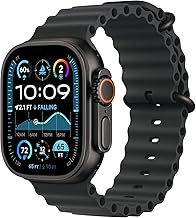
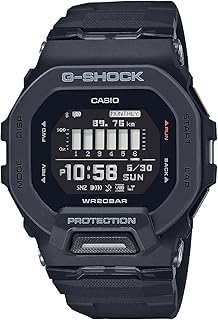
Recommended Watches for Global Travelers

As an Amazon Associate we earn from qualifying purchases.

Newsletter

Get Free Productivity Tips & New Tools First

Join makers and developers who care about privacy. Every issue: new tool drops, productivity hacks, and insider updates — no spam, ever.

Priority access to new tools
Unsubscribe anytime, no questions asked