JSON Validator & Lint

Validate JSON syntax, find errors with line numbers, pretty-print and view stats.

Validate your JSON data instantly with detailed error messages and syntax highlighting. This free online JSON validator checks your data against the JSON specification (RFC 8259), identifies syntax errors with precise line and column numbers, and confirms when your JSON is structurally valid. Essential for developers debugging API payloads, testing configuration files, and ensuring data integrity before deployment. All validation runs locally in your browser.

Your data stays in your browser
Was this tool useful?
Tutorial

How to use

1
1

Paste your JSON

Enter or paste the JSON data you want to validate into the input area.

2
2

Click Validate

Press the validate button to check your JSON for syntax errors.

3
3

Review results

See if your JSON is valid, view formatted output with stats, or fix errors shown with line numbers.

Guide

Complete Guide to JSON Validation

What Is JSON Validation?

JSON validation is the process of checking whether a text string conforms to the JSON specification defined in RFC 8259 and ECMA-404. Valid JSON must use double quotes for strings and keys, separate key-value pairs with colons, separate items with commas (no trailing commas), use matched curly braces for objects and square brackets for arrays, and contain only allowed value types: string, number, boolean, null, object, and array. A validator parses the input and reports any deviations from these rules with specific error locations.

Why JSON Validation Matters

Invalid JSON causes parsing failures that can crash applications, break API integrations, and corrupt data pipelines. A single missing comma or unmatched bracket in a 10,000-line configuration file can take hours to find manually. JSON validators catch these errors instantly with precise error locations. In production environments, validating JSON before processing prevents downstream failures and provides meaningful error messages instead of cryptic parsing exceptions.

Common JSON Errors and How to Fix Them

The most frequent JSON errors include: trailing commas after the last item in an array or object (remove the comma), single quotes instead of double quotes (replace with double quotes), unquoted keys (add double quotes), comments (JSON does not support comments — remove them or use JSONC), NaN and Infinity values (use null or string representation), and undefined values (use null instead). Each of these errors violates the JSON specification and will cause parsers to reject the data.

Best Practices for JSON Validation

Validate JSON at every system boundary — when receiving API requests, reading config files, and processing user input. Use schema validation (JSON Schema) for structural validation beyond basic syntax checking. Implement validation in CI/CD pipelines to catch config errors before deployment. For human-edited JSON files, consider using JSONC (JSON with comments) during editing and stripping comments before validation and deployment.
Examples

Worked Examples

Example: Finding a Trailing Comma Error

Given: A JSON config file that fails to parse with an unhelpful 'Unexpected token' error.

1

Step 1: Paste the JSON config into the validator.

2

Step 2: The validator reports 'Trailing comma not allowed at line 42, column 3'.

3

Step 3: Navigate to line 42 and remove the trailing comma after the last property.

Result: The JSON is now valid and parses correctly in all applications.

Example: Validating API Request Body

Given: A JSON POST body for an API call that returns a 400 Bad Request error.

1

Step 1: Paste the request body JSON into the validator.

2

Step 2: The validator identifies unquoted key names and single-quoted strings.

3

Step 3: Fix the quoting issues — all keys and strings must use double quotes.

Result: Valid JSON request body that the API accepts without parsing errors.

Use Cases

Use cases

API Payload Debugging

Validate JSON request and response bodies to quickly identify syntax errors causing API failures. When an API returns 400 Bad Request or 500 Internal Server Error due to malformed JSON, paste the payload into this validator to get precise error locations. This is faster than searching through your code for the JSON construction logic and eliminates guesswork when debugging integration issues.

Configuration File Verification

Check JSON configuration files for syntax correctness before deploying to production. A single syntax error in a config file can prevent an entire application from starting. Validating configs as part of your deployment process catches errors early, saving downtime and preventing rollback scenarios. This is especially critical for infrastructure-as-code tools that depend on valid JSON configurations.

Data Pipeline Quality Assurance

Validate JSON data at ETL pipeline boundaries to ensure data integrity between systems. When data flows from APIs to databases through transformation layers, JSON syntax errors can corrupt entire batches. Adding validation checkpoints catches malformed records before they propagate downstream, maintaining data quality and reducing debugging time when pipeline failures occur.

Frequently Asked Questions

?How do I validate JSON online?

Paste your JSON into the input area. The tool instantly checks for syntax errors and displays either a success message or a detailed error with the exact line and column of the problem.

?What errors does the JSON validator detect?

All syntax errors including trailing commas, single quotes, unquoted keys, mismatched brackets, invalid values, duplicate keys, unescaped characters, and malformed numbers.

?Is my data private during validation?

Yes, all validation runs entirely in your browser. Your JSON data is never sent to any server, making it safe to validate sensitive configuration data and API credentials.

?Can I validate large JSON files?

Yes, the validator handles large documents efficiently since all processing is local. Most JSON files validate in under a second regardless of size.

?What is the difference between JSON and JSONC?

JSON strictly follows RFC 8259 with no comments allowed. JSONC (JSON with Comments) allows single-line (//) and multi-line (/* */) comments. This validator checks against strict JSON.

?Is this JSON validator free?

Yes, completely free with no registration, no limits, and no data collection. Use it as often as you need.

?Does JSON allow trailing commas?

No. Trailing commas after the last element in an array or object are not allowed in JSON (though some parsers are lenient). This validator strictly enforces the specification.

?Can I also format my JSON after validation?

This tool focuses on validation. For formatting, use our JSON Formatter tool which both validates and beautifies your JSON data with proper indentation.

Help us improve

How do you like this tool?

Every tool on Kitmul is built from real user requests. Your rating and suggestions help us fix bugs, add missing features and build the tools you actually need.

Rate this tool

Tap a star to tell us how useful this tool was for you.

Suggest an improvement or report a bug

Missing a feature? Found a bug? Have an idea? Tell us and we'll look into it.

Related Tools

Recommended Reading

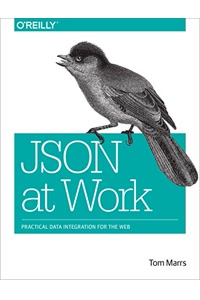
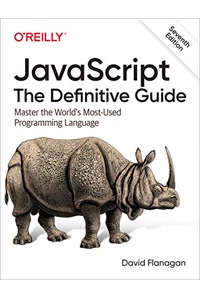
Recommended Books on Data Validation & JSON

As an Amazon Associate we earn from qualifying purchases.

Boost Your Capabilities

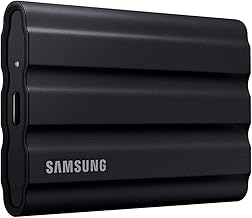
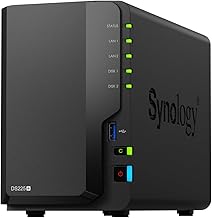
Professional Products to Boost Your Data Management

As an Amazon Associate we earn from qualifying purchases.

Newsletter

Get Free Productivity Tips & New Tools First

Join makers and developers who care about privacy. Every issue: new tool drops, productivity hacks, and insider updates — no spam, ever.

Priority access to new tools
Unsubscribe anytime, no questions asked