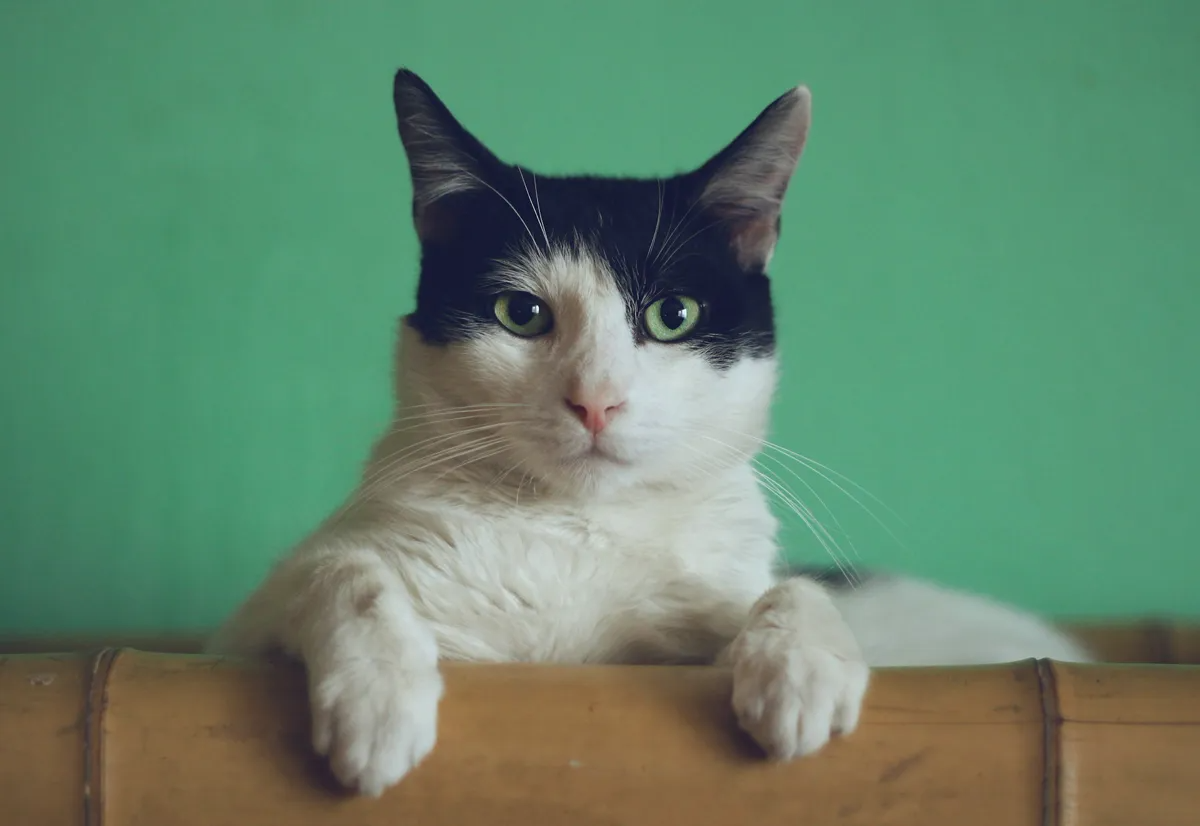
I found a steganography challenge in a CTF last year that had me staring at a picture of a cat for two hours. The image looked completely normal; 800x600 pixels of an orange tabby sitting on a keyboard. No metadata anomalies, no appended ZIP files, no obvious artifacts. The flag was hiding in the least significant bits of the blue channel. Once I extracted it, the message was 43 characters long. The cat hadn't changed at all.
That experience sent me down a rabbit hole. Steganography is one of those topics that sounds like movie-hacker fiction until you actually try it. Then you realize it's just math; and surprisingly simple math at that.
What steganography actually is
Steganography is the practice of hiding data inside other data so that nobody knows the hidden data exists. This is fundamentally different from cryptography. Encryption scrambles a message so it can't be read; steganography hides the message so nobody even looks for it.
The distinction matters. An encrypted file screams "I have secrets." A stego image says nothing. It's a photo of a cat. Or a sunset. Or your company logo. The best steganography produces carrier files that are statistically indistinguishable from unmodified originals.
The word itself comes from Greek: steganos (covered) + graphein (writing). It's been around since ancient Greece; Herodotus wrote about a guy who shaved a slave's head, tattooed a message on the scalp, waited for the hair to grow back, and sent the slave to deliver the message. We've upgraded to pixels since then.
How LSB encoding works
The most common image steganography technique is Least Significant Bit (LSB) encoding. Here's why it works.
A pixel in a 24-bit RGB image has three color channels, each stored as an 8-bit value (0-255). The last bit of each byte; the least significant bit; contributes the smallest possible change to the color value. Flipping it changes the channel value by exactly 1. The difference between RGB(142, 87, 203) and RGB(143, 87, 202) is invisible to the human eye.
So you take your secret message, convert it to binary, and replace the LSBs of the image pixels with your message bits. Each pixel gives you 3 bits of storage (one per channel). A 1920x1080 image has 2,073,600 pixels; that's 6,220,800 bits of storage, or roughly 760 KB of hidden data. In practice you'd use far less to avoid detection, but the theoretical capacity is enormous.
Here's a minimal Python implementation to make this concrete:
from PIL import Image
import numpy as np

def text_to_bits(text):
    """Convert text to a binary string with a null terminator."""
    bits = ''.join(format(ord(c), '08b') for c in text)
    bits += '00000000'  # null terminator to mark end of message
    return bits

def hide_message(image_path, message, output_path):
    """Hide a message in the LSBs of an image."""
    img = Image.open(image_path).convert('RGB')
    pixels = np.array(img)
    flat = pixels.flatten()

    bits = text_to_bits(message)
    if len(bits) > len(flat):
        raise ValueError(f"Message too long: need {len(bits)} bits, have {len(flat)}")

    for i, bit in enumerate(bits):
        # Clear the LSB, then set it to our message bit
        flat[i] = (flat[i] & 0xFE) | int(bit)

    stego = flat.reshape(pixels.shape)
    Image.fromarray(stego.astype('uint8')).save(output_path, 'PNG')
    print(f"Hidden {len(message)} chars in {len(bits)} bits ({len(bits)/len(flat)*100:.4f}% of capacity)")

def extract_message(image_path):
    """Extract a hidden message from the LSBs of an image."""
    img = Image.open(image_path).convert('RGB')
    flat = np.array(img).flatten()

    bits = ''.join(str(b & 1) for b in flat)
    chars = []
    for i in range(0, len(bits), 8):
        byte = bits[i:i+8]
        if byte == '00000000':
            break
        chars.append(chr(int(byte, 2)))
    return ''.join(chars)

# Usage
hide_message('cat.png', 'The flag is CTF{hidden_in_plain_sight}', 'stego_cat.png')
print(extract_message('stego_cat.png'))
The key operation is on line 18: (flat[i] & 0xFE) | int(bit). The bitwise AND with 0xFE (11111110 in binary) clears the LSB, and the OR sets it to whatever our message bit is. That's the entire trick. Everything else is just converting text to bits and iterating over pixels.
Hiding a message step by step
If you don't want to write Python; or you're on a machine where you can't install PIL; the Steganography Tool on Kitmul does the same thing in your browser. No uploads, no server processing. The image never leaves your device.
Here's the workflow:
- Upload a carrier image. PNG works best because it's lossless. JPEG compression will destroy your hidden bits; more on that later.
- Type your secret message. The tool shows you the available capacity based on your image dimensions.
- Download the stego image. It looks identical to the original. Pixel-for-pixel, the differences are imperceptible.
To extract, switch to Reveal mode, upload the stego image, and the hidden text appears.
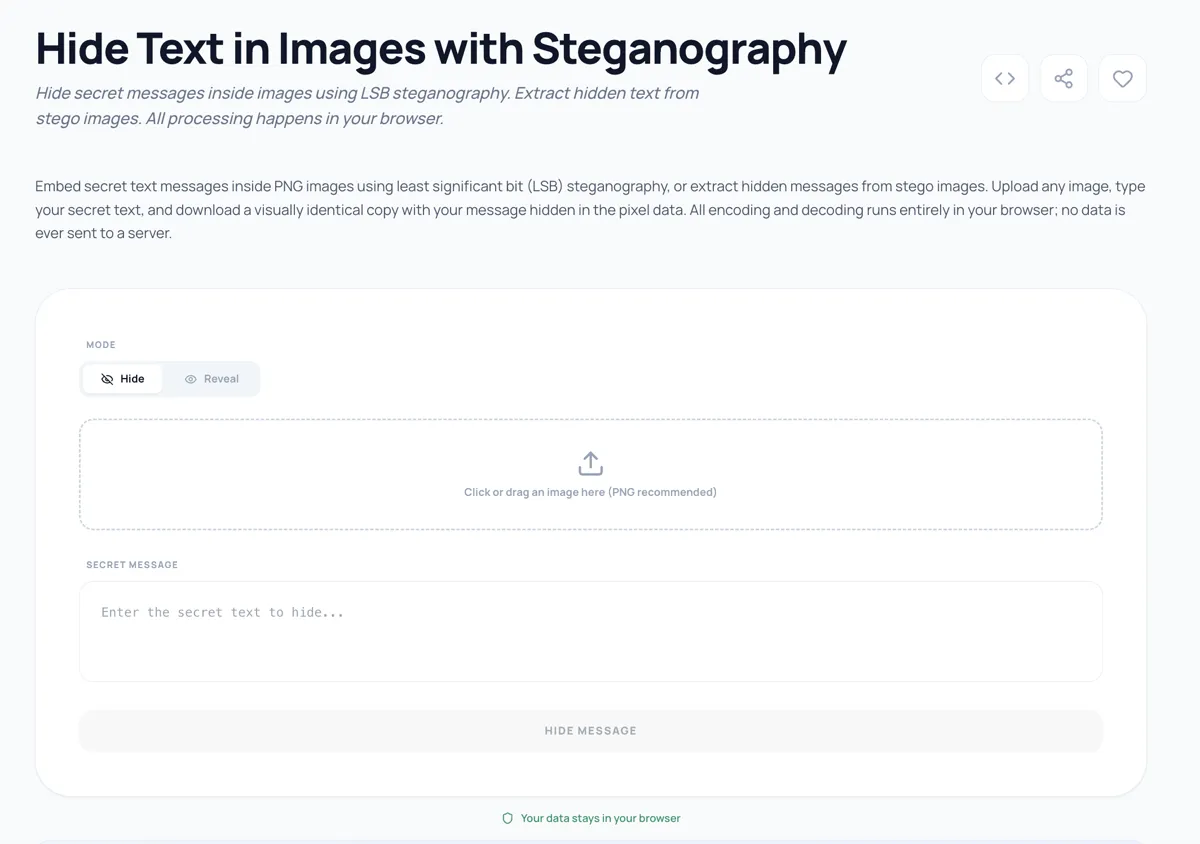
The entire operation runs client-side using the Canvas API and typed arrays. Your secret message never touches a network connection. This matters; if you're hiding sensitive information, sending it to a third-party server rather defeats the purpose.
Detection and steganalysis; how to NOT get caught
Steganalysis is the art of detecting steganography, and it's more sophisticated than you might think.
Visual inspection won't catch LSB encoding. But statistical analysis will. The simplest test is a chi-squared analysis of pixel value distributions. In a natural image, pixel values have a characteristic distribution. LSB embedding flattens pairs of values (e.g., 142 and 143 become equally probable), which shows up as an anomaly in the histogram.
Tools like StegExpose and OpenStego include detection modules. In competitive CTF environments, zsteg and steghide are the go-to extraction tools.
Here are practical tips if you want your stego image to survive scrutiny:
- Use less capacity. Embedding data in only 10-20% of available pixels makes statistical detection much harder. Using 100% of capacity is a forensic red flag.
- Randomize pixel selection. Instead of writing sequentially from pixel 0, use a pseudorandom sequence seeded by a password to select which pixels carry data. This distributes the modifications uniformly.
- Choose busy images. Photos with lots of texture, noise, and color variation hide LSB changes better than smooth gradients or solid blocks. A photo of a forest floor beats a photo of a white wall.
- Never use JPEG as a carrier. JPEG's lossy compression modifies pixel values during encoding. Your hidden bits will be destroyed when the image is saved. Always use PNG, BMP, or TIFF for LSB steganography.
- Strip metadata before sharing. EXIF data showing the image was processed by a steganography tool is an obvious giveaway.
When to combine steganography with encryption
Steganography and encryption solve different problems, and the strongest approach uses both. Here's why.
If an attacker suspects your image contains hidden data and successfully extracts the LSBs, they'll see your plaintext message. Game over. But if you encrypt the message first; using AES-256, for example; the extracted bits look like random noise. The attacker can't tell whether they found a message or just normal image data.
The practical workflow:
- Encrypt your message with a strong symmetric cipher.
- Hide the ciphertext in the image using LSB encoding.
- Share the stego image publicly.
- Share the decryption key through a separate channel.
This gives you two layers of protection: the message is both hidden (steganography) and unreadable (encryption). An attacker would need to both detect the hidden data and crack the encryption; a significantly harder problem than either alone.
Kitmul's Security and Cryptography tools include AES encryption, hash generators, and other utilities that complement the steganography tool for this exact workflow.
Real-world use cases
Steganography isn't just a CTF party trick. It has legitimate and important applications.
Digital watermarking. Publishers, photographers, and media companies embed invisible watermarks in images to track unauthorized distribution. If a leaked image surfaces, the embedded watermark identifies which recipient leaked it. This is how several major movie studios track screener copies.
Whistleblowing and censorship resistance. In countries with heavy internet surveillance, steganography allows activists to share information through innocent-looking images posted on social media. The image passes inspection by automated content filters; the hidden message reaches its intended audience.
Covert communication. Intelligence agencies have used steganography since at least the early 2000s. The FBI's 2010 arrest of Russian spies (the "Illegals Program") revealed they were embedding encrypted messages in images posted to public websites.
CTF challenges. Capture The Flag competitions love steganography because it tests a different skill set than standard crypto challenges. You need to identify that steganography was used at all before you can begin extraction. Common CTF stego techniques include LSB encoding, appended data, palette manipulation in GIF files, and audio spectrum hiding.
Proof of ownership. Artists and content creators can embed copyright information or ownership proofs directly into their work. Unlike visible watermarks, these don't degrade the visual quality of the piece.
The limits of pixel encoding
LSB steganography has real constraints worth understanding. The carrier image must be lossless; any lossy compression step (JPEG, WebP lossy) will corrupt embedded data. The message capacity scales with image dimensions, but using more than about 15-20% of capacity makes the image vulnerable to statistical detection. And the technique only hides data; it doesn't protect it from extraction by someone who knows what to look for.
For most practical purposes, image steganography works best as one layer in a defense-in-depth strategy. Hide the message, encrypt the content, and use a secure channel to share the key. No single technique is bulletproof, but the combination raises the bar significantly.
Try it yourself
The Steganography Tool on Kitmul lets you hide and reveal messages in PNG images directly in your browser. Everything runs client-side; no data is uploaded, no accounts required, no limits. Upload an image, type a message, download the result. Then try extracting it to verify the round trip.
If you're interested in security and privacy tools, the Security and Cryptography collection includes hash generators, encryption tools, password generators, and more; all running locally in your browser.
All processing runs locally in your browser. No images or messages are sent to any server. The tool is free, open, and has no accounts or limits.