
There are three ways to turn a JSON response into TypeScript interfaces. You can write them by hand, you can ask an LLM, or you can run the JSON through a deterministic converter. I've used all three. Two of them have failure modes that most people don't think about until they ship a bug.
The manual approach: slow and accurate until it isn't
Writing interfaces by hand works when you have three fields. It stops working around field fifteen. A Stripe charge object has 40+ properties. A GitHub pull request response is over 100 fields deep once you count nested objects. Nobody types those by hand without making mistakes.
The failure mode is subtle. You open the API docs, you start writing, and by field twenty you're skimming. Was merged_at a string or a Date? Is labels an array of objects or an array of strings? You guess, you move on, and TypeScript's compiler trusts whatever you wrote. The type system only catches errors if the types are correct in the first place.
The TypeScript documentation puts it plainly: any disables type checking for that value. But a wrong interface is arguably worse than any, because it gives you false confidence. Your IDE autocompletes fields that don't exist. Your code compiles. The crash happens at runtime.
The LLM approach: fast and probabilistic
Pasting a JSON blob into ChatGPT or Claude and asking for TypeScript interfaces is tempting. It's fast. It handles nesting. It even names interfaces in reasonable ways most of the time.
The problem is that LLMs are probabilistic. Give the same JSON to the same model twice and you might get different output. Sometimes it adds ? to fields that aren't optional. Sometimes it invents a union type that doesn't match the data. Sometimes it decides id should be string when the value is clearly 1. I've seen models produce Date for ISO timestamp strings; technically aspirational, but wrong if you're not parsing the string into a Date object first.
These aren't bugs in the model. It's the nature of the tool. An LLM generates plausible text based on patterns. It doesn't parse your JSON the way a type system does. It reads it, approximates what the types should be, and writes something that looks right. Mostly it is right. But "mostly right" and "deterministically correct" are different things when your type definitions guard runtime behavior.
There's also the privacy angle. Pasting a production API response into a third-party LLM means sending your data to someone else's server. If that response contains user PII, internal endpoints, or auth tokens that leaked into the payload, you've just shared them with an external service. For side projects, nobody cares. For production codebases with compliance requirements, that's a conversation with your security team you don't want to have.
The deterministic approach: same input, same output, every time
A deterministic JSON-to-TypeScript converter doesn't guess. It parses. The algorithm walks the JSON tree, inspects each value's JavaScript type, and maps it to the corresponding TypeScript type. There's no randomness, no temperature parameter, no model that might behave differently on Thursday.
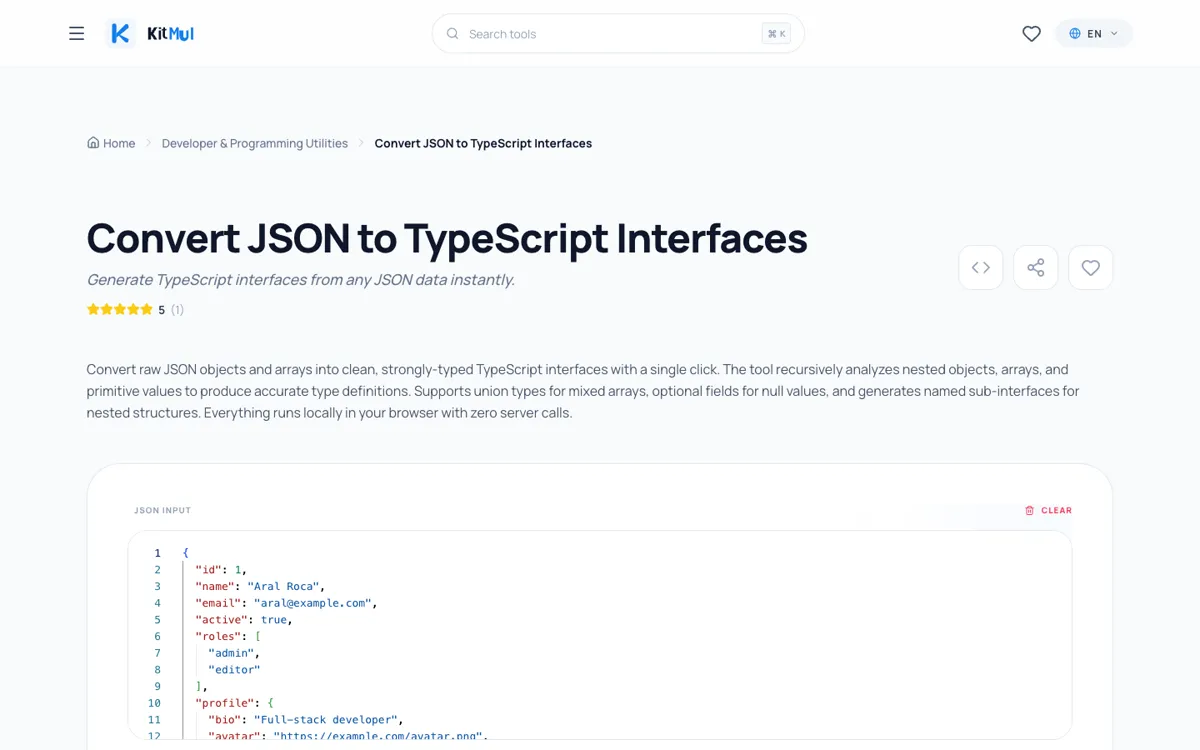
The rules are mechanical:
"hello"is alwaysstring. Not sometimesstring, not occasionally"hello"as a literal type.42is alwaysnumber. Notint, notfloat, notnumber | string.[1, 2, 3]is alwaysnumber[]. NotArray<number>, notnumber[] | undefined.{"a": 1}always generates a separate named interface witha: number.nullis alwaysnull. Notundefined, not omitted.
Same JSON in, same TypeScript out. Run it a hundred times and you get a hundred identical results. That's the property you want from a tool that generates type definitions your compiler will trust.
What the algorithm actually does
Under the hood, the converter does a recursive descent through your JSON structure. For every value it encounters, it calls inferType(), which returns the TypeScript type string. Objects produce new interface entries in a Map. Arrays inspect their elements and produce either a uniform type (string[]) or a union type ((string | number)[]). Empty arrays become unknown[] because there's no element to infer from.
Property names get converted to PascalCase for interface names. Keys that aren't valid JavaScript identifiers (hyphens, spaces, leading digits) get quoted automatically. The output can be toggled between interface and type declarations.
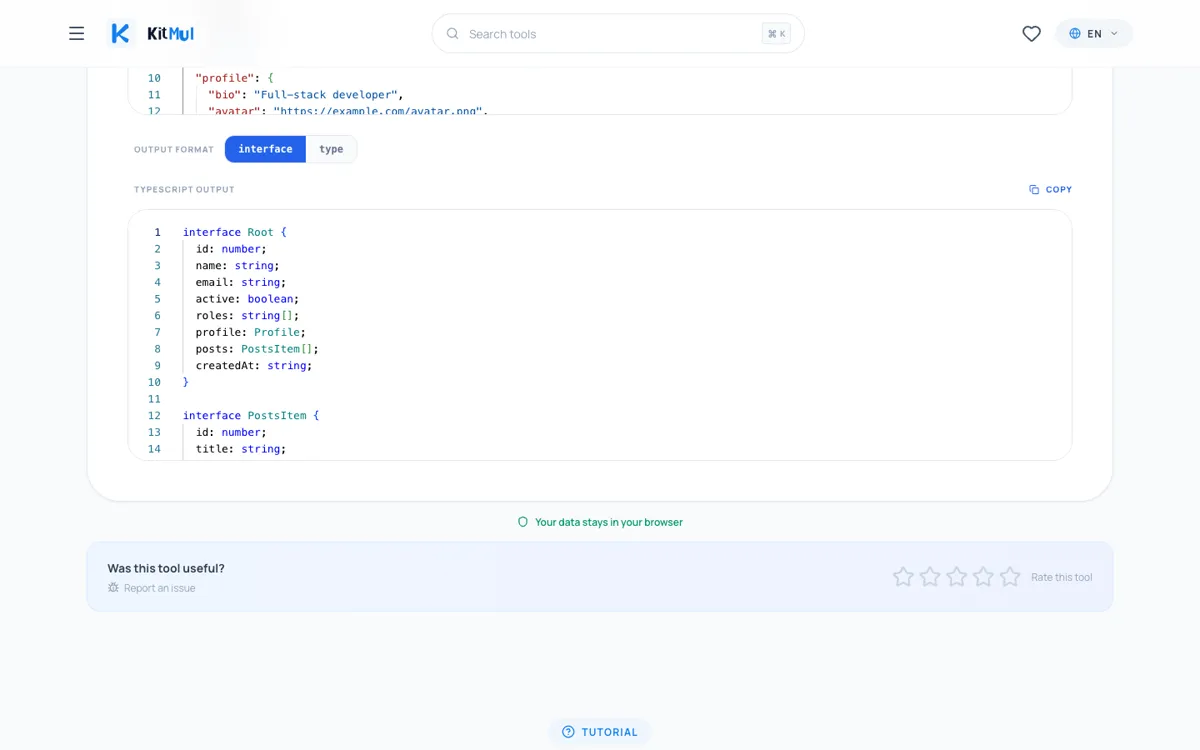
Here's a concrete example. This JSON:
{
  "id": 1,
  "name": "Aral Roca",
  "email": "aral@example.com",
  "active": true,
  "roles": ["admin", "editor"],
  "profile": {
    "bio": "Full-stack developer",
    "avatar": "https://example.com/avatar.png",
    "social": {
      "github": "aralroca",
      "twitter": "aralroca"
    }
  },
  "posts": [
    {
      "id": 101,
      "title": "Understanding TypeScript Interfaces",
      "published": true,
      "tags": ["typescript", "tutorial"]
    }
  ],
  "createdAt": "2026-04-27T10:00:00Z"
}
Produces exactly this:
interface Root {
  id: number;
  name: string;
  email: string;
  active: boolean;
  roles: string[];
  profile: Profile;
  posts: PostsItem[];
  createdAt: string;
}

interface Profile {
  bio: string;
  avatar: string;
  social: Social;
}

interface Social {
  github: string;
  twitter: string;
}

interface PostsItem {
  id: number;
  title: string;
  published: boolean;
  tags: string[];
}
Four interfaces. Every field typed correctly. Every nested object extracted into its own named interface. No randomness involved.
Interface vs. type: when the toggle matters
The converter offers both interface and type output. The choice isn't cosmetic.
Interfaces support declaration merging; if two interfaces share the same name in the same scope, TypeScript merges their properties. Types don't. For library authors who want consumers to extend types, interfaces are the better pick.
Types handle unions, intersections, and mapped types more naturally. If you need type Result = Success | Error or compose shapes with &, the type output saves a conversion step.
For API response typing, it rarely matters. Pick whichever your team's linting rules enforce and move on.
Where deterministic inference still needs human review
The converter infers types from values, not from schemas. That's a feature; it works with any JSON without requiring an OpenAPI spec or JSON Schema. But it means there are edges where you'll want to adjust:
Optional fields. The converter only sees the sample you provide. If a field is sometimes absent from the response, add ? manually.
String enums. "status": "active" becomes string, not "active" | "inactive" | "suspended". Narrow it yourself.
Date strings. ISO 8601 timestamps like "2026-04-27T10:00:00Z" are string to the converter. If you're parsing them with date-fns or dayjs, you'll want to change those to Date in your final types.
Pagination wrappers. A response like { data: [...], meta: { page: 1, total: 100 } } generates a Root interface with both. Rename it to PaginatedResponse<T> and extract Meta as a generic.
These adjustments take seconds. The point is that the deterministic converter gives you a correct baseline; the parts that need human judgment are the parts a machine genuinely can't infer from a single sample. An LLM would also get these wrong; the difference is the LLM might also get the easy parts wrong.
Privacy as a feature, not a marketing line
The converter runs entirely client-side. The JSON never leaves your browser. No server call, no analytics on your input, no account.
This isn't an abstract benefit. Plenty of teams have security policies that prohibit uploading source code or API responses to third-party services. That rules out most online tools. It rules out pasting production responses into LLM chatbots. A client-side converter that processes everything in a JavaScript function on your machine has zero compliance surface.
Open your browser's network tab while using it. You'll see nothing sent.
A practical workflow
1. Get a real response. Use curl, Postman, or your browser's network tab to capture an actual API response.
2. Paste and convert. Open the JSON to TypeScript converter, paste the JSON, copy the output.
3. Rename and refine. Change Root to UserResponse. Add ? where needed. Narrow string unions.
4. Co-locate with your API client. I put types in a types.ts next to whatever file makes the fetch or axios call.
5. Add runtime validation. Use Zod or Valibot to validate that the API actually sends what your types describe. The converter gives you structure; a schema library gives you runtime guarantees.
The whole thing takes under a minute per endpoint.
Beyond API responses
The converter handles any valid JSON:
- Config files. Paste
tsconfig.jsonorpackage.jsonfor type-safe config loading. - Database exports. A MongoDB document or PostgreSQL row as JSON becomes your ORM layer types.
- Test fixtures. If you write tests with Jest or Vitest, converting fixture files ensures your mocks match production shapes.
- CMS content. Headless CMS responses from Strapi, Sanity, or Contentful are deeply nested. Type them once; let the compiler catch template bugs.
For formatting JSON before converting, the JSON Formatter handles pretty-printing and validation. For the opposite direction; stripping HTML into something an LLM can process efficiently; there's the HTML to Markdown converter.
The tradeoff matrix
| Manual | LLM | Deterministic | |
|---|---|---|---|
| Speed | Slow | Fast | Fast |
| Correctness | Depends on you | Mostly correct | Always correct for the sample |
| Consistency | Varies | Non-deterministic | Identical every run |
| Privacy | N/A | Data sent to server | Client-side only |
| Optional fields | You decide | Sometimes guesses | You decide |
| String narrowing | You decide | Sometimes guesses | You decide |
The deterministic converter handles the mechanical part; mapping values to types; perfectly. The parts it can't handle (optionality, string enums, date parsing) are the same parts the other approaches also can't handle reliably. The difference is it doesn't introduce new errors on the parts it can handle.
The bottom line
Type safety isn't a spectrum. Your types are either correct or they're not. Manual typing is slow and error-prone at scale. LLM typing is fast but probabilistic. Deterministic conversion is fast and correct; within the bounds of what any tool can infer from a single JSON sample.
Use the JSON to TypeScript converter for the mechanical work. Spend your judgment on optional fields, string unions, and interface naming; the decisions that require context no tool has.
Zero signup. Zero upload. Same input, same output. Part of the Developer & Programming Utilities on Kitmul.
Photo by Florian Olivo on Unsplash.