As developers, we spend a surprising amount of time on small utility tasks: formatting JSON, testing regex patterns, converting timestamps, generating UUIDs, encoding Base64 strings. Each task takes only a minute, but across a week, these context switches add up. The 2023 Stack Overflow Developer Survey shows that developers already spend roughly 30% of their time on non-coding activities — and every context switch to a separate tool adds friction.
Here are 10 free tools on Kitmul that handle these tasks instantly — no installs, no accounts, no extensions. Every tool runs in your browser, so your code and data never leave your device.
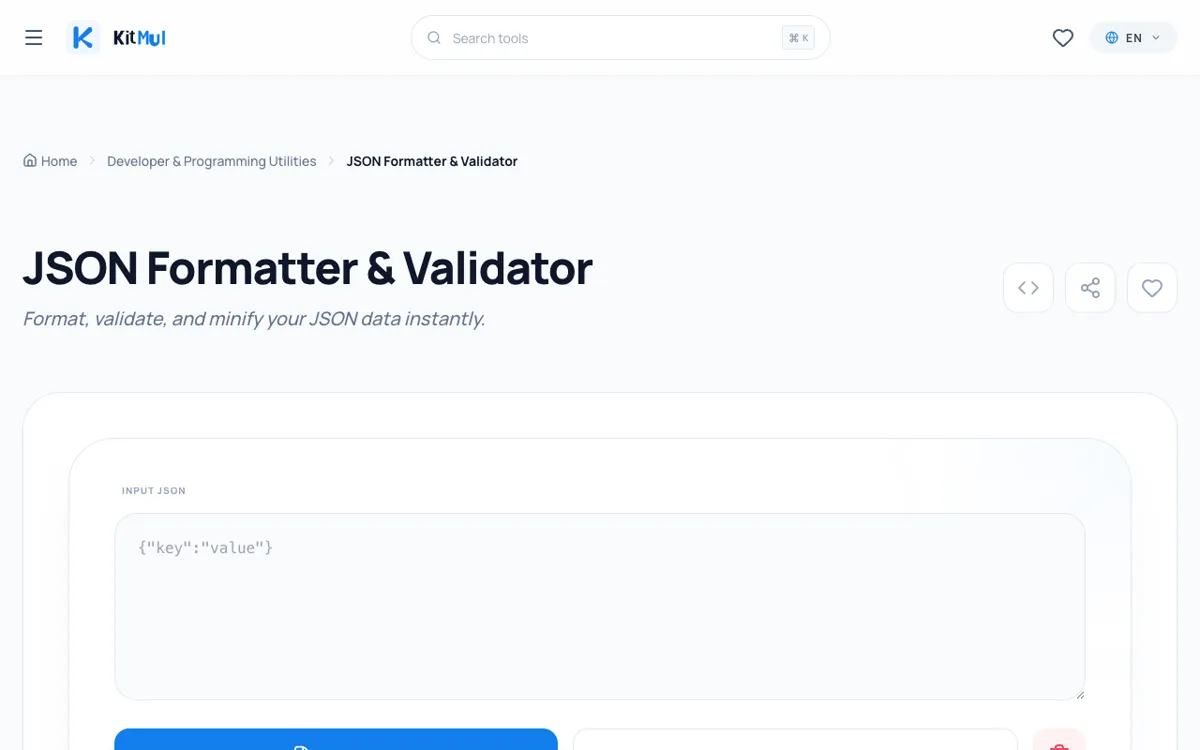
1. JSON Formatter & Validator
Paste messy, minified, or malformed JSON and get clean, syntax-highlighted output instantly. The formatter auto-detects indentation, validates the structure, and highlights errors with line numbers. It handles nested objects up to any depth and can process JSON files up to 10 MB in size. This is the tool you reach for when an API returns a wall of text and you need to understand the structure at a glance. Unlike online JSON tools that send your data to a server, Kitmul formats everything locally — so your API keys, tokens, and sensitive payloads stay on your machine.
2. Regex Tester
Write and test regular expressions with real-time matching, group highlighting, and capture group extraction. The tester supports JavaScript, Python, and PCRE regex flavors, includes a library of common patterns (email, URL, IP address, phone number), and provides an explanation panel that breaks down your regex into human-readable components. Paste your test string, write your pattern, and see matches highlighted instantly. No round-trips to a server, no rate limits.
3. UUID Generator
Generate RFC 4122 compliant v4 UUIDs in bulk — 1, 10, 100, or 1000 at a time. UUIDs are generated using the browser's crypto.getRandomValues() API, which provides cryptographically secure random numbers. Results are copy-paste ready with options for uppercase, lowercase, with or without hyphens. Need UUIDs for database seeding, test fixtures, or configuration files? This tool generates them faster than any command-line utility.
4. Base64 Encoder/Decoder
Convert text, files, or images to and from Base64 encoding instantly. Supports UTF-8 text encoding, binary file encoding, and data URI generation for embedding images in HTML or CSS. You can drag and drop files directly into the tool or paste Base64 strings for decoding. The tool handles files up to 50 MB and preserves the original file name and MIME type during decoding. Essential for working with email attachments, API payloads, and embedded assets.
5. Unix Timestamp Converter
Convert between Unix timestamps (seconds and milliseconds) and human-readable dates across any time zone. The converter supports ISO 8601, RFC 2822, and custom date formats. Paste a timestamp from a log file, database record, or API response and instantly see the corresponding date and time in your local time zone or any other. The tool also includes a "Now" button that displays the current timestamp, useful for debugging time-sensitive code.
6. Color Converter
Switch between HEX, RGB, HSL, RGBA, HSLA, and CMYK color formats with a live visual preview. The converter includes a color picker, contrast ratio checker (WCAG AA and AAA compliance), and a palette generator that creates complementary, analogous, and triadic color schemes from any input color. Designers and frontend developers use this daily for translating design tokens between formats.
7. JWT Decoder
Paste a JSON Web Token and instantly see the decoded header, payload, and signature — without sending your token to any server. The decoder validates the token structure, displays expiration times in human-readable format, and highlights common issues like expired tokens or missing claims. Since JWTs often contain sensitive information like user IDs, roles, and permissions, decoding them locally is a security best practice. Never paste production JWT tokens into online decoders that transmit your data to their servers.
8. Markdown Preview
Write Markdown in a split-pane editor and see a live-rendered preview side by side. The preview supports GitHub Flavored Markdown including tables, task lists, code blocks with syntax highlighting, and emoji shortcodes. It is ideal for drafting README files, documentation, blog posts, and pull request descriptions. The editor includes keyboard shortcuts for common formatting (bold, italic, links, code) and can export the rendered HTML.
9. CSS Minifier
Paste your CSS and get production-ready minified output in one click. The minifier removes whitespace, comments, and redundant semicolons, reduces color values (e.g., #ffffff to #fff), and shortens zero values (e.g., 0px to 0). It reports the size reduction as a percentage and byte count. For a typical 50 KB stylesheet, expect a 30-40% size reduction. The tool processes everything locally with no file size limits.
10. Hash Generator
Generate MD5, SHA-1, SHA-256, SHA-384, and SHA-512 hashes from text input or file uploads. The tool uses the Web Crypto API for standards-compliant hash generation and can process files of any size using streaming. Use it to verify file integrity, generate content hashes for caching, or create checksums for deployment artifacts. All hashing happens in your browser — your files and text are never transmitted.
Why Browser-Based Developer Tools Matter
These 10 tools share three properties that make them superior to their server-based alternatives: privacy (your data stays local), speed (no network latency), and availability (they work offline as a Progressive Web App).
For developers who handle API keys, JWT tokens, configuration files, and proprietary code, the privacy aspect is particularly important. Pasting a production JWT token into a random online decoder is a security anti-pattern, yet millions of developers do it daily because the alternatives require installing CLI tools or writing one-off scripts.
Bookmark kitmul.com/en/developer and keep all 10 tools one click away. They are free, private, and will save you hours every week.