Why Data-Driven Team Formation Outperforms Intuition
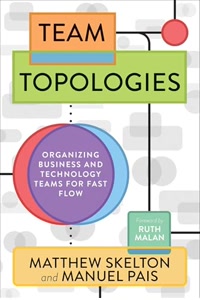
Look, I get it — most managers have been forming teams for years based on experience and gut feel. And sometimes it works fine. But "fine" isn't the bar you should be aiming for when team composition is one of the strongest predictors of whether a project succeeds or fails. The research on this is pretty clear (Team Topologies covers it well): poorly composed teams create persistent bottlenecks and cross-team dependencies that no amount of process improvement can fix. What I've seen in practice is that intuition-based team formation has two consistent failure modes. First, managers unconsciously cluster people they're familiar with, which concentrates expertise in teams they personally oversee and starves other teams. Second, they optimize for "who's available" rather than "what skills does this team need" — and availability is the worst possible heuristic for composition. The optimizer doesn't have these biases. It looks at proficiency data and proposes formations that a human would need hours of spreadsheet work to figure out. And it removes the politics — when the algorithm says "put Carlos on Team B," nobody takes it personally. Use the output as a conversation starter, not a final answer, but start from data instead of from scratch.
Understanding Skill Coverage and Its Impact on Team Autonomy
Skill coverage is basically the answer to: "Can this team deliver end-to-end without asking another team for help?" Full coverage means yes — someone on the team can handle every skill needed for their work, from design through deployment. That's the dream. Partial coverage means they'll be filing tickets with other teams, waiting in queues, and slowing down. Sound familiar? The optimizer calculates coverage by checking each proposed team against the full list of required skills. If a team has nobody above Novice for a critical skill, that's a gap. Not all gaps are equal though — missing a peripheral skill you need once a quarter is very different from missing a core skill you need daily. A team with 95% coverage can operate almost completely independently. A team at 60% is going to spend a third of their time waiting on other teams, which tanks both velocity and morale. And here's the part people miss: those cross-team dependencies don't just slow you down — they create coordination overhead that scales quadratically with the number of dependencies. Two dependencies are manageable. Six dependencies turn every sprint into an exercise in herding cats. So coverage isn't just a nice metric. It's the single biggest determinant of whether a team can actually own their work or whether they're just a cog waiting for other cogs.
Building Resilient Teams That Survive Member Changes
Resilience is about what happens when someone leaves — temporarily or permanently. Vacation. Parental leave. That resignation you didn't see coming. If the team grinds to a halt because one specific person is gone, you've got a resilience problem. And here's the thing: it's not a question of if someone will leave, it's when. The resilience score works by simulating every possible single-person removal and checking what happens to skill coverage. If removing any one person drops a critical skill to zero, that's a bus-factor failure. The score penalizes that heavily. Teams with high resilience have overlapping skills — not identical skills (that would be wasteful) but enough overlap that any single absence is absorbable. The Resilience First optimization mode specifically builds teams where no departure is catastrophic. It might sacrifice a bit of peak coverage to achieve this — maybe a team doesn't get the absolute best expert in a skill, but instead gets two solid Practitioners. That's the right trade-off for any team that's going to exist longer than six months. Because over a year, the probability of at least one significant absence approaches 100%. Short-lived project teams can afford to optimize purely for coverage. Long-lived product teams should prioritize resilience. Don't learn this lesson the hard way.
Combining Algorithmic Optimization with Human Judgment
The optimizer is smart about skills. It's dumb about people. And that's by design — you don't want an algorithm making decisions about interpersonal dynamics, growth aspirations, or the fact that Dave and Sarah absolutely cannot sit next to each other (long story). So treat the output as the best possible starting point for a conversation, not as a final roster. Use the coverage and resilience scores to evaluate every manual adjustment you make. Want to swap two people to keep a working pair together? Great — the scores will tell you instantly whether that swap creates a critical gap somewhere. Want to move a junior developer to a team where they'll learn more? Check whether their departure from the original team drops a skill to zero. This hybrid approach — algorithm-first, then human adjustments — consistently beats either approach alone. Pure algorithmic placement ignores the human factors that make or break team dynamics. Pure intuition ignores the math that makes or breaks team capability. I've watched a VP do a team restructuring in 20 minutes with this approach that previously took three days of back-and-forth in spreadsheets (yes, really). The key insight: let the machine handle the combinatorial problem it's good at, then layer in the human judgment that no algorithm can replicate.